Published Updated  Azaz Vepari20 Mins read
9 Best HVAC CRM Software Platforms in 2026
Compare the best HVAC CRM software for residential, commercial, and mixed-service contractors, including features, pricing, limitations, and buyer fit.

In this article16 sections
The best HVAC CRM software depends on the type of work your company performs:
- Housecall Pro is the best fit for many small-to-midsize residential HVAC companies because it combines customer management, scheduling, equipment profiles, service plans, estimates, and payments in a straightforward home-service workflow.
- FieldCamp is the best fit for HVAC companies that want configurable records and workflows, and AI-assisted dispatch and workflow automation layered into the operating system.
- ServiceTitan is the best fit for larger residential or mixed residential-commercial operations that need deeper equipment, agreement, dispatch, reporting, and accounting capabilities.
- ServiceTrade is the best fit for commercial HVAC service companies that organize work around customer sites, installed equipment, planned maintenance, inspection findings, and repair opportunities.
- Simpro is best for HVAC contractors that need service, projects, inventory, asset maintenance, and job costing in one system.
- Jobber is the easiest lower-cost starting point for a small residential shop, although its documented record model is less equipment-focused than the HVAC-specific platforms.
There is no honest one-size-fits-all winner. A five-technician commercial contractor managing hundreds of rooftop units may need a more complex CRM than a twenty-technician residential replacement company. Choose the software that matches your customers, equipment, agreements, projects, and accounting workflow—not simply the product with the longest feature list.
Best HVAC CRM software at a glance
| # | HVAC CRM | Best for | Equipment and recurring-work fit | Published pricing |
|---|---|---|---|---|
| 1 | Housecall Pro | Small-to-midsize residential HVAC companies | Property Profile equipment items and recurring service plans | Standard Basic starts at $79 monthly or $59 monthly billed annually; HVAC packages may differ |
| 2 | FieldCamp | Customizable, AI-assisted HVAC operations | Equipment, agreements, recurring jobs, warranties, configurable objects, and workflow automation | Quote on request |
| 3 | ServiceTitan | Larger residential or mixed operations | Detailed equipment records, residential memberships, and commercial service agreements | Quote only; priced per technician |
| 4 | ServiceTrade | Commercial HVAC service and planned maintenance | Equipment inventory, agreements, recurring schedules, deficiencies, and repair quotes | Quote only; price based mainly on technician count |
| 5 | Simpro | Mixed service, projects, inventory, and asset maintenance | Assets, contracts, recurring jobs, project work, and inventory | Quote only; setup fee applies |
| 6 | FieldEdge | Established residential HVAC teams using QuickBooks | Equipment history and service agreements | Quote only |
| 7 | Jobber | Small residential teams prioritizing simplicity | Properties and recurring jobs; no first-class equipment object found in the documented custom-field model | Starts at $29 per month on the annual prepaid option |
| 8 | BuildOps | Commercial contractors combining service and projects | Commercial assets, agreements, service, and project workflows | Custom price per field and office user |
| 9 | Service Fusion | Growing teams that value unlimited-user plans | Customer history, scheduling, recurring invoicing, and HVAC service workflows | Starter costs $245 monthly; annual discount available |
Pricing checked: July 30, 2026. Published entry prices rarely equal the final cost. Confirm the required tier, field licenses, office users, implementation, accounting integrations, communication tools, payment fees, and optional modules before signing.
The numbers organize this guide; they are not a universal score. A platform can rank highly overall and still be the wrong choice for a commercial asset-heavy contractor, a two-person residential shop, or a company with specialized approval and automation requirements.
What is HVAC CRM software?
HVAC CRM software manages the customer relationship and the field-service work connected to it. A useful system should connect:
- Customers to one or more service locations.
- Service locations to the HVAC equipment installed there.
- Equipment records to make, model, serial number, installation date, warranty information, and service history.
- Requests and estimates to scheduled jobs or technician visits.
- Maintenance agreements to covered locations, equipment, recurring work, and billing.
- Completed work to forms, photos, recommendations, invoices, payments, and accounting records.
This is the main difference between an HVAC CRM and a general sales CRM. HubSpot, Salesforce, Zoho, and Pipedrive can manage contacts and sales pipelines. HVAC software must also help the office answer questions such as:
- Which unit is the technician servicing?
- What work has already been performed on that unit?
- Is the equipment covered by an agreement or warranty?
- Which technician has the right skills and availability?
- What inspection findings still need a quote?
- What should be invoiced when the visit is completed?
Residential and commercial companies also need different records. Residential HVAC revolves around homeowners, booking, replacement estimates, financing, memberships, and reviews. Commercial HVAC revolves around sites, asset lists, planned maintenance, inspections, deficiencies, projects, and contract profitability.
How we evaluated the best HVAC CRMs
We compared each platform against the workflows an HVAC business actually needs:
- Customer, property, site, and equipment records
- Scheduling, dispatch, and mobile field work
- Estimates, invoices, payments, and accounting connections
- Maintenance agreements and recurring work
- Residential versus commercial HVAC fit
- Service, project, inventory, and job-costing requirements
- Published pricing structure and important plan boundaries
- Documented limitations and evidence gaps
This is a documentation-led comparison. Product capabilities and pricing were checked against vendor pricing pages, product documentation, and help-center articles. We did not run a full hands-on implementation of all nine platforms, so vendor-documented capabilities are described as such rather than presented as test results.
1. Housecall Pro — best HVAC CRM for residential service businesses
Housecall Pro is the strongest all-around fit for many small-to-midsize residential HVAC companies. It combines the customer record, schedule, dispatch board, estimates, invoices, payments, service plans, and homeowner communication in one home-service platform.
Its HVAC-specific advantage over a basic scheduling app is the Property Profile. Housecall Pro documents multiple equipment items at one address, with fields for item type, display name, make, model, serial number, installation date, and notes. A technician can use and update this equipment context from the mobile app. Equipment can also be attached to a recurring service plan.
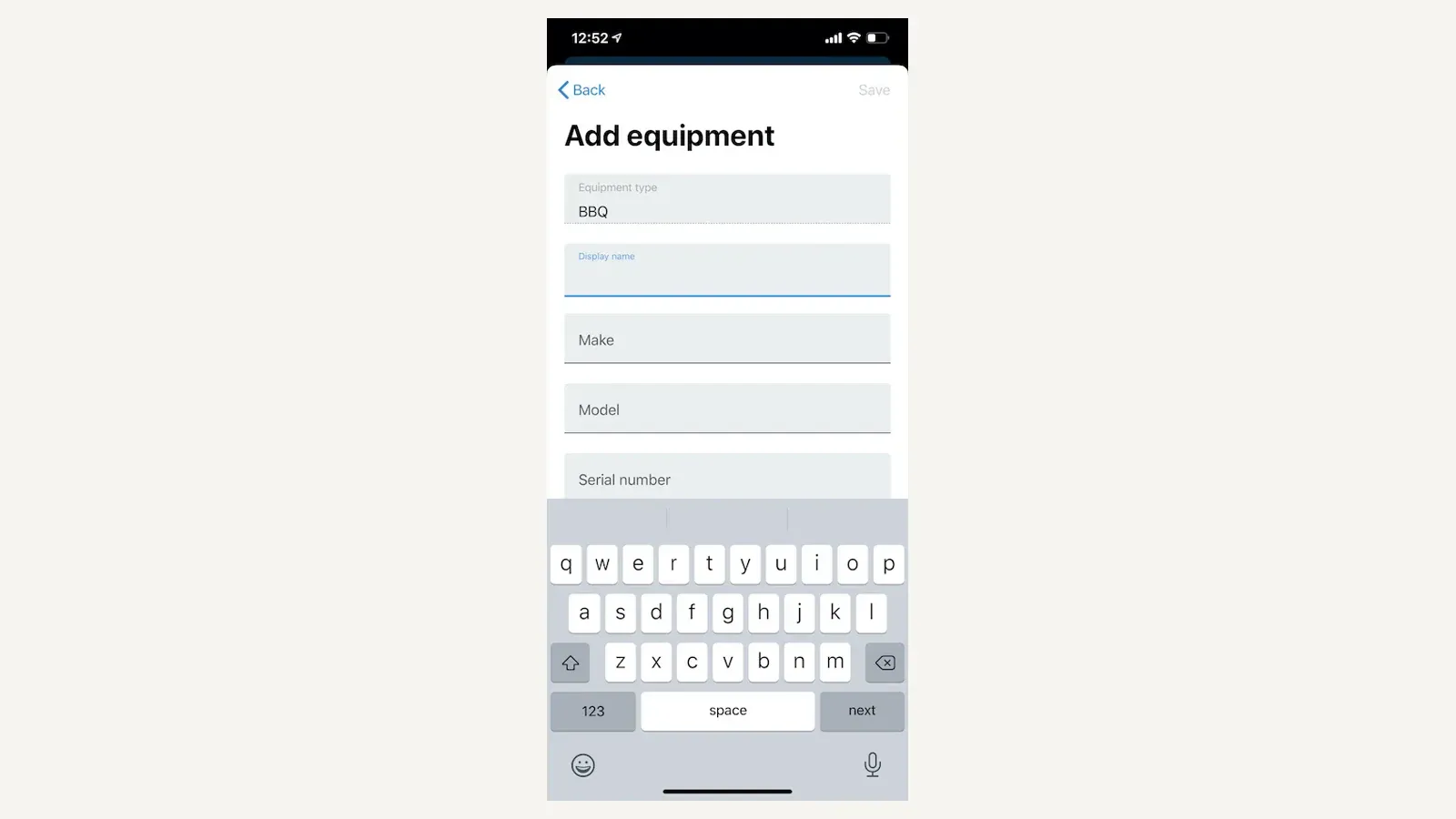
Housecall Pro equipment form. Image supplied by Housecall Pro; observed July 2026.
Key HVAC features
- Customer and service-address records
- Property Profile items for equipment at each address
- Drag-and-drop scheduling and dispatch
- Mobile job details, estimates, invoices, and payment collection
- Online booking and homeowner communication
- Service plans for recurring maintenance
- QuickBooks Online integration on eligible plans
- Estimate options for repair-versus-replacement proposals
- Customer notifications and follow-up workflows
The Property Profile documentation confirms that several pieces of equipment can be stored at one service address. Housecall Pro also documents how to attach an equipment item to a service plan.
Housecall Pro pricing
The standard Housecall Pro pricing page lists:
- Basic from $79 per month, or $59 per month billed annually
- Higher tiers for additional users and capabilities
- A trial for evaluating the standard platform
Housecall Pro also markets HVAC and mechanical packages, so confirm the exact package price and included features. The vendor’s QuickBooks Online onboarding guide says QuickBooks Online requires Essentials or MAX.
Best for
- Residential service and replacement companies
- Owner-led businesses growing beyond spreadsheets
- Small and midsize teams that value homeowner communication
- Companies selling recurring maintenance plans
- HVAC contractors that need equipment details without a large enterprise implementation
Limitations
- Standard pricing and HVAC package pricing may differ.
- Important features and integrations can be plan-specific.
- A Property Profile is useful for residential equipment, but commercial contractors should verify multi-site asset, deficiency, contract, and project workflows separately.
- Complex construction billing, industrial service, and portfolio-wide commercial reporting are not its core strength.
2. FieldCamp — best customizable, AI-assisted HVAC CRM
FieldCamp is the strongest fit in this comparison for an HVAC company that wants to shape its CRM around its operating process instead of accepting a rigid, prebuilt workflow. Its standard HVAC model connects customers, requests, estimates, jobs, visits, invoices, pricebook items, technicians, equipment, service agreements, recurring jobs, and warranties. Eligible plans add custom objects, custom fields, pipelines, relationships, roles, and permissions.
That configurability is useful when the company needs to track more than a standard customer-job-invoice flow. Examples include specialized inspection records, equipment classes, approval stages, warranty workflows, installation closeouts, internal quality checks, or relationships between locations, contracts, and nonstandard assets.
FieldCamp also combines that configurable record model with documented AI-assisted dispatch and workflow automation. This is a more concrete advantage than simply adding “AI” to a feature list: the system can use operational data to recommend dispatch decisions and can place an AI Agent inside a defined workflow step.
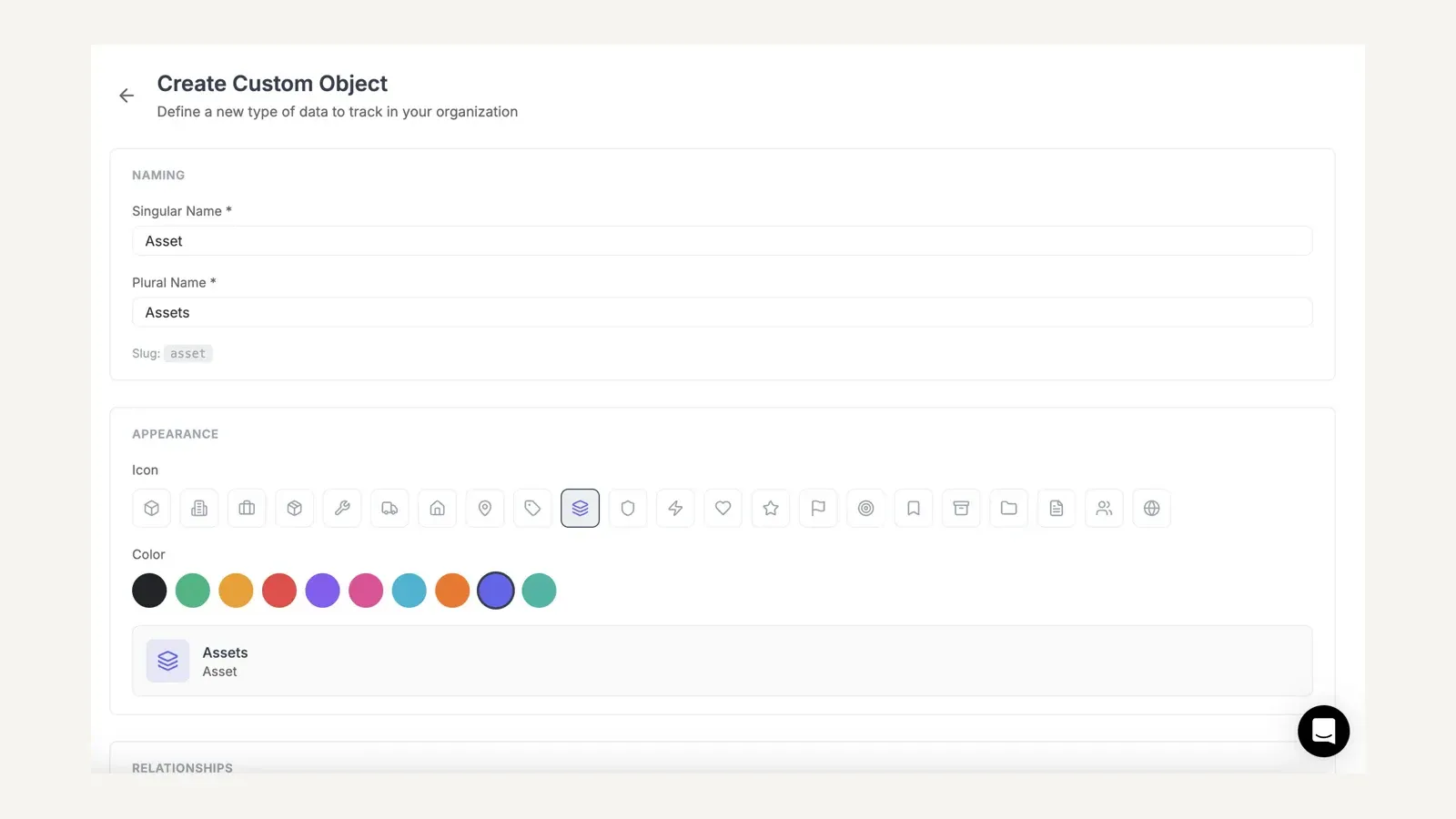
FieldCamp custom object builder. Image supplied by FieldCamp documentation; observed July 2026.
Key HVAC features
- Customer, request, estimate, job, visit, invoice, and payment workflows
- Equipment, warranty, service-agreement, and recurring-job records
- Custom fields, pipelines, and relationships
- Custom objects and custom roles on eligible plans
- Workflow automation with triggers, conditions, delays, and actions
- AI Agent steps inside workflows
- In-app AI Dispatcher suggestions based on skills, travel time, availability, and workload
- Bulk dispatch from the job tray
- Route optimization, forms, checklists, job costing, and customer portal
- QuickBooks and Xero connections
- Web and mobile access
The custom-object documentation explains how FieldCamp can create typed records, validation rules, pipelines, and relationships to system or custom objects. The workflow overview documents triggers, conditions, delays, actions, and AI Agent steps. Available actions depend on the workflow context, so buyers should test each intended automation rather than assume every action is available everywhere.
What FieldCamp’s AI can automate
FieldCamp documents two related dispatch products that should not be confused.
The AI Dispatcher inside FieldCamp is an add-on that analyzes technician skills, travel time, availability, and workload when a job is created. It suggests a technician and time slot, shows confidence and reasoning, and lets a dispatcher accept, reject, or modify the recommendation. Teams can also use it for bulk dispatch and define controls such as maximum drive time, overtime, capacity, and whether recommendations require human review.
FieldCamp’s separate standalone AI Dispatcher adds dispatch assistants that can run on a schedule or after updates using defined playbooks, guardrails, monitoring, and human-in-the-loop controls. That autonomous-assistant capability belongs to the standalone product; it should not be assumed to be included automatically with every FieldCamp plan.
For other office work, AI Agents in workflows can be inserted as a workflow step—for example, to draft a personalized follow-up or reminder using selected trigger data. The value comes from combining the agent with explicit triggers, conditions, and downstream actions rather than asking a generic chatbot to run the operation.
FieldCamp pricing
FieldCamp pricing is quoted per business. Book a demo with FieldCamp to get a quote for your team.
Custom objects and custom roles and permissions are not on the entry plan. The in-app AI Dispatcher can use credits, so include expected AI usage and any add-ons when you compare quotes. Compare the required users, AI credits, add-ons, onboarding, and configuration against a written quote from every other vendor for the same workflow.
Best for
- HVAC companies whose records or approvals do not fit a fixed template
- Teams that want custom objects, fields, pipelines, and relationships
- Businesses that want documented AI-assisted dispatch with human controls
- Operations that want to automate follow-up and record actions through defined workflows
- Companies prepared to configure and validate the system with sample HVAC data
Limitations
- The independent review and implementation evidence is thinner than for longer-established platforms.
- Custom objects and custom roles require an eligible plan.
- Additional-user pricing should be modeled against expected headcount.
- AI Dispatcher credits and standalone AI products can affect total cost and scope.
- The documented HVAC model says service agreements can schedule recurring work, but recurring billing uses the normal invoice flow rather than a separate membership-billing engine.
- AI recommendations and assistants still require configuration, guardrails, monitoring, and a defined human-review policy.
- Buyers should validate mobile, accounting, migration, reporting, and each configured workflow with sample data.
3. ServiceTitan — best HVAC CRM for larger residential and mixed operations
ServiceTitan is the broadest documented platform in this comparison for a larger HVAC company with dedicated office, dispatch, sales, and field teams. It supports residential service, memberships, replacement sales, equipment history, commercial agreements, job costing, and a wide accounting-integration set.
ServiceTitan’s equipment record is detailed enough to support real HVAC service history. Its documentation includes equipment status, type, capacity, manufacturer, model, serial number, installation and manufacture dates, warranty information, memo fields, documents, and linked estimates and invoices.
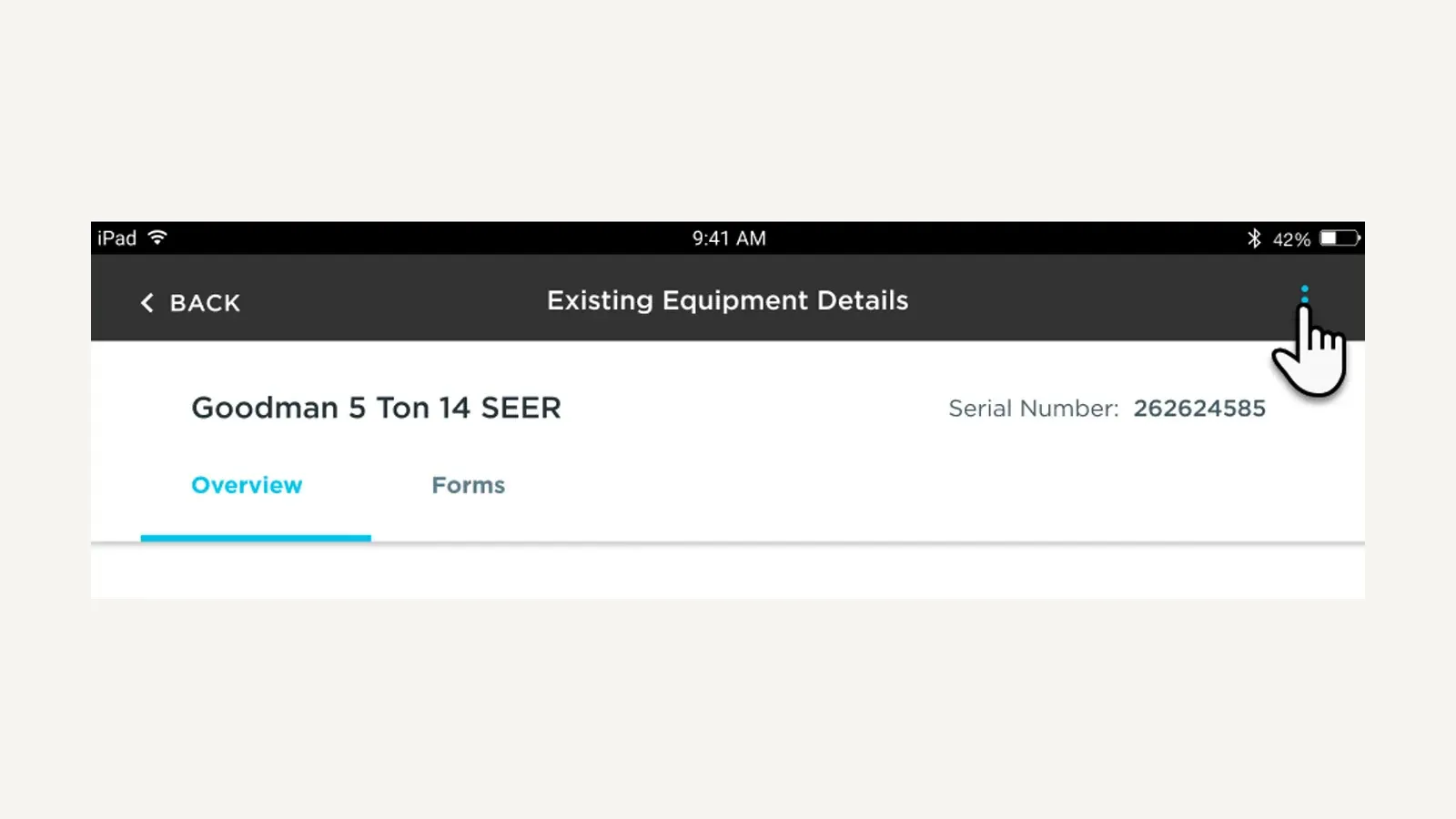
ServiceTitan mobile equipment record. Image supplied by ServiceTitan; observed July 2026.
Key HVAC features
- Customer, location, and installed-equipment records
- Scheduling and dispatch for field teams
- Mobile job, estimate, form, photo, signature, and payment workflows
- Residential memberships
- Commercial service agreements
- Capacity, skill, and technician scheduling tools
- Pricebook and replacement-estimate workflows
- Job costing and operational reporting
- QuickBooks, Sage Intacct, NetSuite, and other accounting connections
- Multi-location and commercial service support
The ServiceTitan mobile equipment guide documents the data technicians can view and maintain for equipment at a location.
ServiceTitan also distinguishes memberships from service agreements. Memberships are designed around residential recurring service. Commercial agreements can cover multiple locations and equipment, custom schedules, service-level commitments, not-to-exceed limits, and budget-versus-actual tracking.
ServiceTitan pricing
The ServiceTitan pricing page lists Starter, Essentials, and The Works. It does not publish dollar amounts.
- Pricing is quote-based
- The vendor says pricing is per technician
- The required package depends on the modules and workflows selected
Do not use a third-party monthly estimate as if it were a ServiceTitan quote. Ask for the software subscription, required implementation, optional products, payment processing, phones, and any usage-based products as separate written line items.
Best for
- Larger residential HVAC companies
- Multi-location organizations
- Companies with dedicated dispatchers, CSRs, comfort advisers, and managers
- Mixed residential and commercial operations
- Teams that need deeper reporting and accounting integrations
- Businesses prepared for a structured implementation
Limitations
- No public dollar pricing
- Per-technician pricing increases as the field team grows
- Implementation is more involved than signing up for a small-business scheduling app
- Smaller teams may pay for operational depth they do not use
- Commercial-only contractors should still compare ServiceTitan’s equipment and agreement workflow with platforms built specifically around commercial deficiencies and planned maintenance
4. ServiceTrade — best CRM for commercial HVAC service
ServiceTrade is designed around the commercial-service question: what equipment exists at each customer site, what work is promised under contract, what did the technician find, and what repair opportunities remain open?
That architecture matters for commercial HVAC. A customer may operate ten buildings, each with rooftop units, boilers, controls, pumps, and air-handling equipment. The CRM must preserve condition and service history at the equipment level rather than store everything as notes against a customer or job.
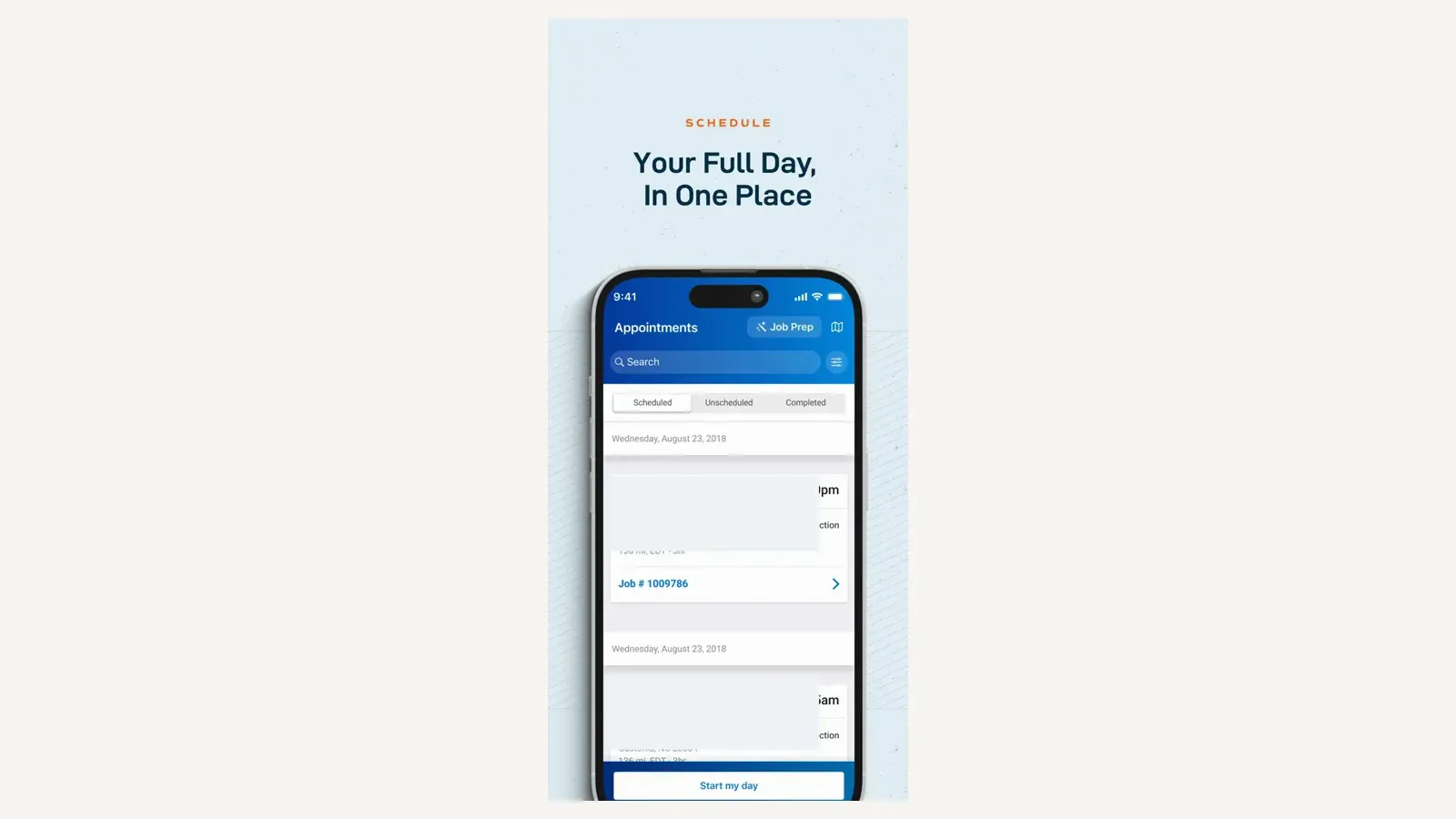
ServiceTrade mobile appointments view. Image supplied in ServiceTrade’s official App Store listing; observed July 2026.
Key HVAC features
- Customer, site, and equipment inventory
- Service-agreement sales and management
- Recurring service schedules
- Equipment-based proposals
- Inspection and service reports
- Deficiency capture in the field
- Repair quotes generated from identified deficiencies
- Customer portal access
- Dispatch and technician mobile workflows
- QuickBooks support on listed plans
ServiceTrade’s HVAC product documentation connects equipment inventories, contract commitments, recurring schedules, service reports, deficiencies, and repair quoting. Its SalesManager product supports equipment-based, multi-site agreement proposals.
ServiceTrade pricing
The ServiceTrade pricing page does not publish dollar amounts.
- Pricing is quote-based
- The vendor says pricing is based primarily on technician count
- Select, Premium, and Enterprise packages provide different capabilities
- Unlimited office users are listed
The pricing page lists equipment history, deficiency capture, dispatch, mobile access, and QuickBooks among the Select-level capabilities, but confirm every required sales, portal, reporting, and agreement feature in the proposal.
Best for
- Commercial HVAC service contractors
- Planned preventive maintenance operations
- Companies managing equipment across multiple customer sites
- Contractors that turn inspection findings into repair work
- Teams that need customer-facing service reports
- Businesses whose renewal value depends on documented asset condition
Limitations
- It is not primarily a residential homeowner-sales platform.
- Pricing requires a sales conversation.
- Sales, service, portal, and reporting capabilities may span different products or packages.
- Residential marketing, consumer booking, financing, and review-generation needs should be evaluated separately.
5. Simpro — best for HVAC service, projects, inventory, and maintenance
Simpro is a strong candidate for HVAC contractors whose work goes beyond service calls. It combines reactive service, planned maintenance, projects, asset records, inventory, scheduling, invoicing, and job costing.
This makes Simpro particularly relevant to companies that service existing systems and also complete replacements, retrofits, installations, or larger quoted projects. The purchasing question is not simply whether Simpro has a CRM. It is whether the company needs one operating system across service, projects, stock, and commercial maintenance.
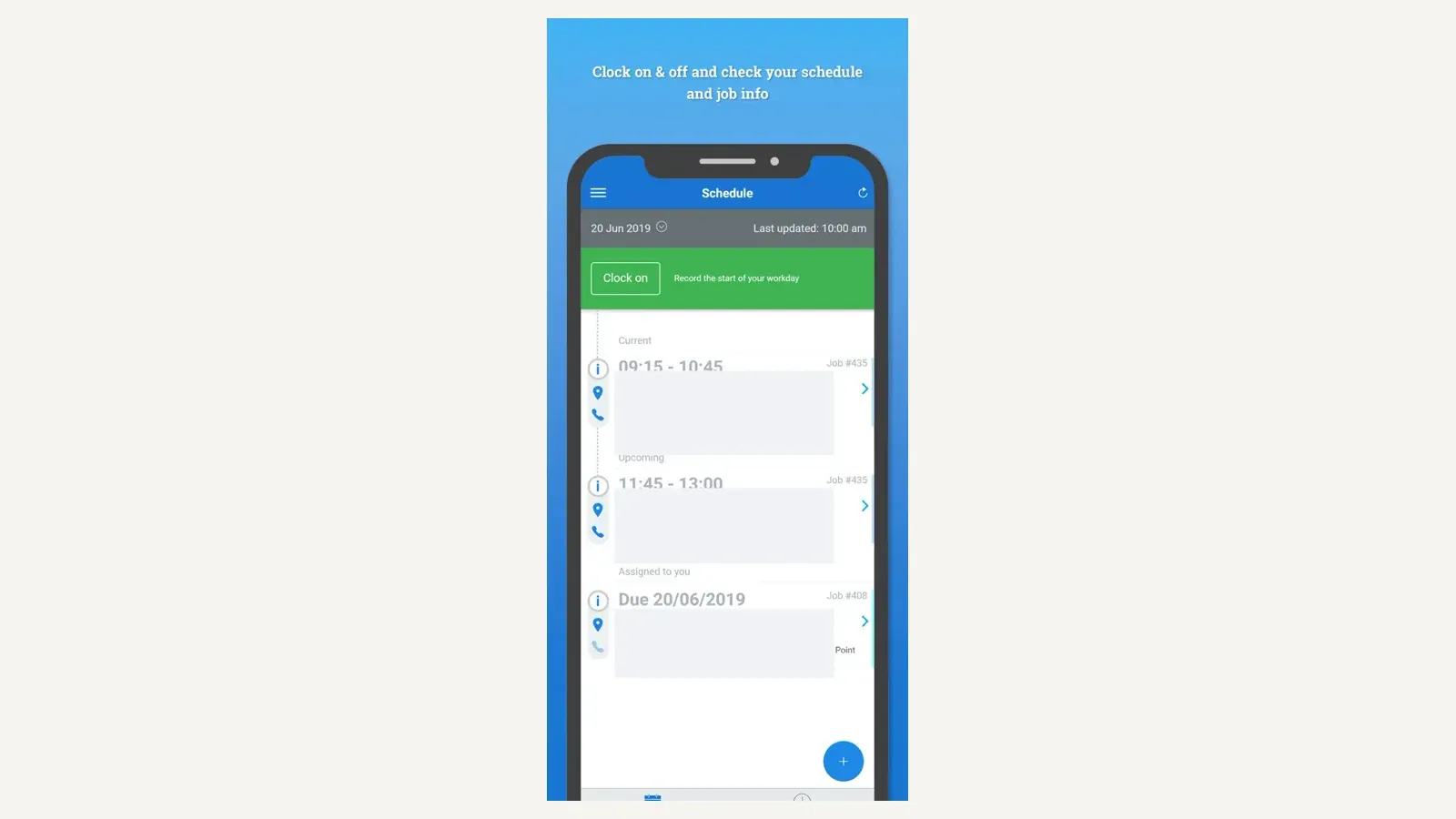
Simpro Mobile schedule. Image supplied in Simpro’s official App Store listing; observed July 2026.
Key HVAC features
- Customer, site, contract, and asset records
- Reactive service and scheduled maintenance
- Recurring jobs and invoices
- Installation and project workflows
- Job costing
- Inventory and stock management
- Scheduling and dispatch
- Field mobile access
- Quoting, invoicing, and financial workflows
- Contract profitability visibility
The Simpro help system connects customer contracts, assets, recurring jobs, and recurring invoices. Its HVAC page also positions the product around asset maintenance, contract profitability, projects, and inventory.
Simpro pricing
Simpro pricing is tailored to the buyer:
- Dollar pricing is not published
- A setup fee applies
- The base package includes service, projects, asset maintenance, inventory, scheduling, invoicing, and commercial workflows
- Maintenance Planner and other products may be add-ons
Ask the vendor to map every required module to the final proposal. A quote that includes service and invoicing but excludes the maintenance, inventory, or planning capability that drove the purchase is not comparable.
Best for
- HVAC businesses that perform service and projects
- Inventory-heavy contractors
- Commercial maintenance operations
- Companies that need job costing across several work types
- Teams managing recurring work against assets and contracts
Limitations
- Quote-only pricing makes early cost comparison difficult.
- A setup fee and add-on structure increase the importance of a detailed scope.
- Configuration and implementation are more substantial than with a basic small-business CRM.
- A residential-only company may not need its project and inventory depth.
6. FieldEdge — best established HVAC CRM for QuickBooks users
FieldEdge is an HVAC-focused field service platform for companies that want customer history, equipment records, agreements, dispatch, mobile field work, invoicing, and QuickBooks connectivity.
Its appeal is the combination of an HVAC operating model and an established accounting workflow. Instead of asking technicians or office users to reconstruct the customer’s history across paper files, notes, and QuickBooks, FieldEdge connects service information to the customer and equipment context used by the field team.
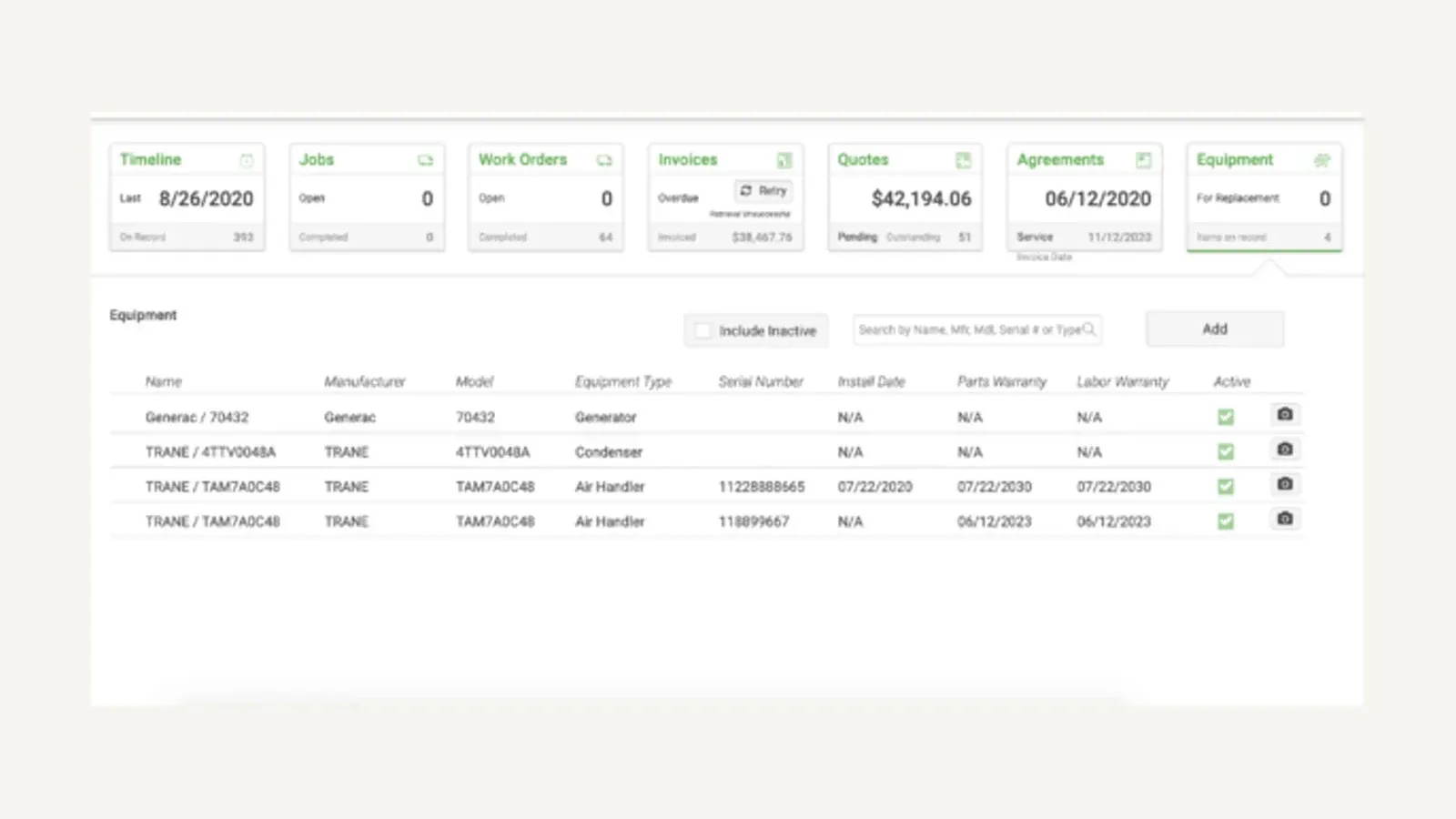
FieldEdge equipment history. Image supplied by FieldEdge; observed July 2026.
Key HVAC features
- Customer and equipment history
- Service-agreement management
- Scheduling and dispatch
- Technician mobile app
- Estimates and invoices
- Pricebook workflows
- Payment collection
- QuickBooks Online and Desktop connections
- Performance and operational reporting
- Customer communication tools
FieldEdge’s field service product page describes equipment, agreements, history, dispatch, and field workflows. Its HVAC page focuses the same platform on heating and cooling contractors.
FieldEdge pricing
The FieldEdge pricing page lists Select, Premier, and Elite but requires a quote.
- No public dollar price
- Mobile-app license counts vary by package
- Service-agreement capabilities vary by package
- QuickBooks Online and Desktop are listed across plans
- FieldEdge says it does not offer a free trial because onboarding and training are part of implementation
Best for
- Established residential HVAC businesses
- QuickBooks-centered accounting operations
- Companies replacing disconnected customer, dispatch, and equipment records
- Multi-truck teams that want HVAC-specific workflows
- Buyers willing to complete guided onboarding
Limitations
- Pricing is not available without a sales conversation.
- Package limits can affect mobile users and agreement capabilities.
- Buyers should verify the exact direction and timing of accounting sync.
- Commercial project, asset-portfolio, and deficiency workflows need a separate demonstration.
7. Jobber — best simple HVAC CRM for a small business
Jobber is the simplest starting point in this comparison for a small residential HVAC business that needs to organize customers, requests, quotes, schedules, jobs, invoices, and payments.
The platform is easier to understand than a large commercial or enterprise system because its record flow is straightforward: a customer and property lead to a request, quote, job, visit, invoice, and payment. That simplicity is useful for a small shop moving away from a calendar, spreadsheet, or paper process.
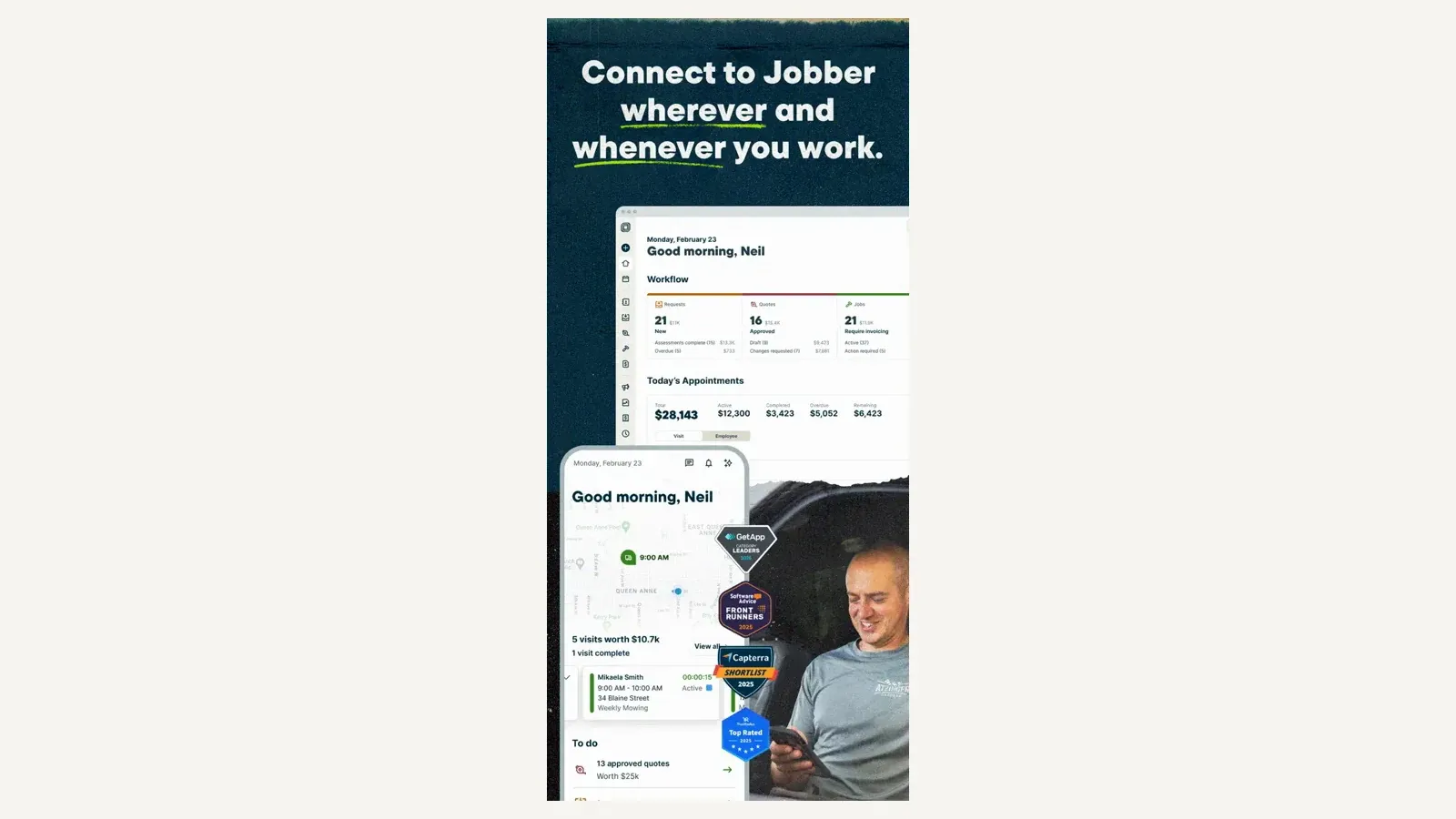
Jobber web and mobile workflow. Image supplied in Jobber’s official App Store listing; observed July 2026.
Key HVAC features
- Customer and property records
- Requests and online booking
- Quotes and optional line items
- Scheduling and dispatch
- Route optimization
- Mobile job access
- Invoices and payment collection
- Recurring jobs
- Customer reminders and follow-up
- QuickBooks Online integration
Jobber’s recurring-job documentation explains how repeated visits and invoices can be scheduled.
Jobber pricing
The Jobber pricing page starts at $29 per month on its annual prepaid option. Final cost depends on:
- Plan
- Number of included users
- Additional users
- Communication and marketing features
- Required integrations
- Payment and financing use
Confirm the monthly, annual-commitment, and annual-prepaid options carefully because they are different payment arrangements.
Best for
- Owner-operators
- Small residential HVAC companies
- Teams adopting field service software for the first time
- Contractors prioritizing simple quoting, scheduling, and invoicing
- Companies that do not need a complex commercial asset register
Limitations
Jobber’s documented custom-field model lists clients, properties, quotes, jobs, invoices, and team members. It does not list equipment as a first-class object. A business can store unit details on a property or job, but that is different from maintaining separate lifecycle records for multiple units at the same site.
The custom-field documentation is the key source to review during evaluation.
Commercial contractors should ask Jobber to demonstrate:
- Multiple units at one location
- Separate service history for each unit
- Agreement coverage by equipment
- Warranty tracking
- Open deficiencies across sites
- Commercial project billing
If those are central requirements, an asset-focused platform is likely a better fit.
8. BuildOps — best commercial HVAC CRM for service and projects
BuildOps is built for commercial contractors that need to run service work and projects in the same system. It is a relevant alternative to ServiceTrade and Simpro when the business performs planned service, quoted repairs, installations, and project work for commercial customers.
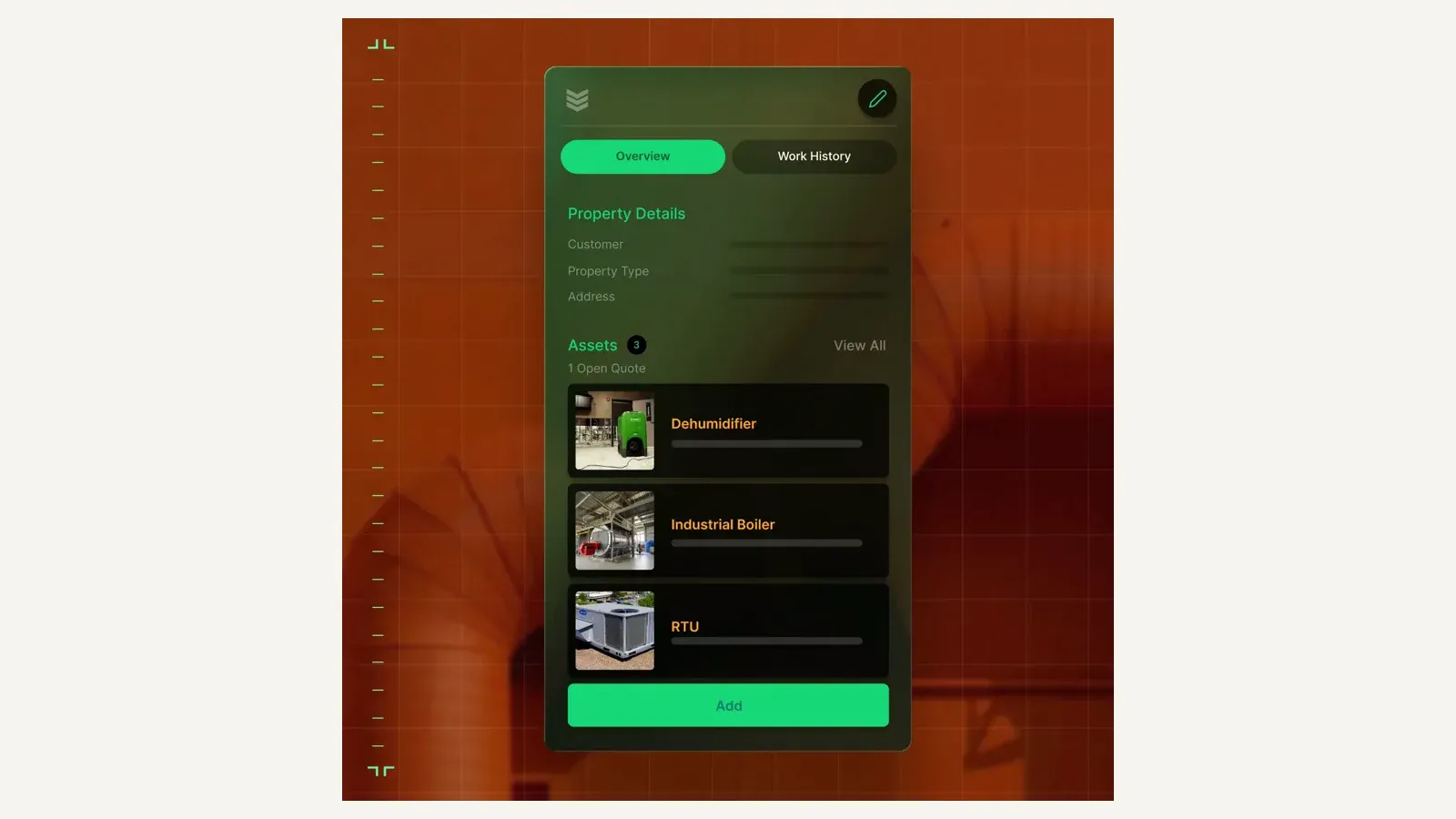
BuildOps mobile asset management view. Image supplied by BuildOps; observed July 2026.
Key HVAC features
- Commercial customer and location records
- Asset and equipment context
- Service agreements
- Scheduling and dispatch
- Technician mobile workflows
- Quotes and invoices
- Project management
- Labor and financial reporting
- Service and project coordination
- Commercial HVAC operating workflows
The vendor’s HVAC page explicitly positions BuildOps for commercial heating and cooling contractors. Its pricing page lists dispatch, scheduling, quoting, invoicing, reporting, and mobile access as core capabilities.
BuildOps pricing
The BuildOps pricing page uses custom pricing:
- Pricing is calculated per field and office user
- Service and project requirements affect the proposal
- Dollar prices are not published
Ask for separate pricing and scope for field users, office users, implementation, data migration, accounting, projects, reporting, and optional modules.
Best for
- Commercial HVAC contractors
- Companies combining service and projects
- Multi-department operations
- Contractors that need field and office financial visibility
- Businesses evaluating a modern commercial platform
Limitations
- No public dollar pricing
- Capabilities in this review were confirmed mainly through vendor product pages rather than a comparably deep public help center
- Buyers should require a live workflow demonstration using their own commercial data
- Asset history, agreement generation, deficiencies, progress billing, accounting sync, and export should be tested before purchase
9. Service Fusion — best HVAC CRM with unlimited users
Service Fusion is a field service platform for contractors that want scheduling, dispatch, customer management, estimates, invoices, payments, mobile work, and published flat-plan pricing.
Its main pricing distinction is unlimited users. That can make Service Fusion worth evaluating for a growing office and field team that wants to avoid paying a separate software seat for every added employee.
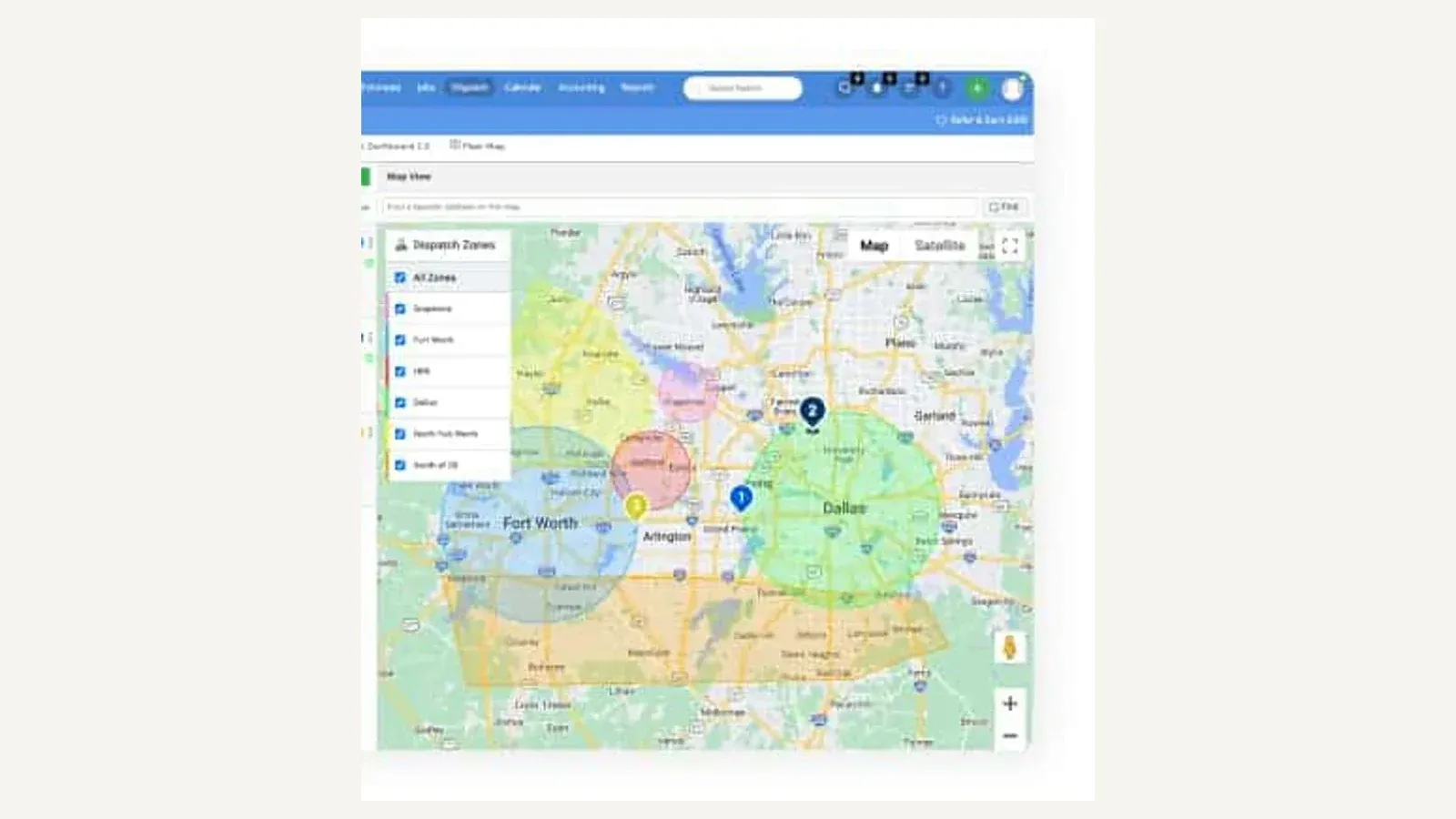
Service Fusion dispatch-zone map. Image supplied by Service Fusion; observed July 2026.
Key HVAC features
- Customer and service history
- Scheduling and dispatch
- Estimates and invoices
- Mobile field access
- Payment processing
- Recurring invoicing on eligible plans
- Inventory and job costing on eligible plans
- QuickBooks Online and Desktop
- Customer communication
- Reporting
Service Fusion pricing
The Service Fusion pricing page lists:
- Starter: $245 per month
- Plus: $382 per month
- Pro: $627 per month
- Unlimited users on published plans
- No contract requirement
- A 15% annual discount
Inventory, job costing, API access, recurring invoicing, and other capabilities vary by plan. Compare the required plan rather than using unlimited users as the only purchasing criterion.
Best for
- Growing HVAC teams
- Companies that value predictable flat-plan pricing
- Businesses adding office and field users
- Contractors that need core dispatch-to-invoice workflows
- QuickBooks users comparing established field service products
Limitations
- The entry price is higher than small-business tools such as Jobber.
- Unlimited users do not mean every module is included in Starter.
- Equipment, agreement, and commercial asset depth should be demonstrated against the actual workflow.
- Important capabilities can require Plus, Pro, or an add-on.
Best HVAC CRM by business type
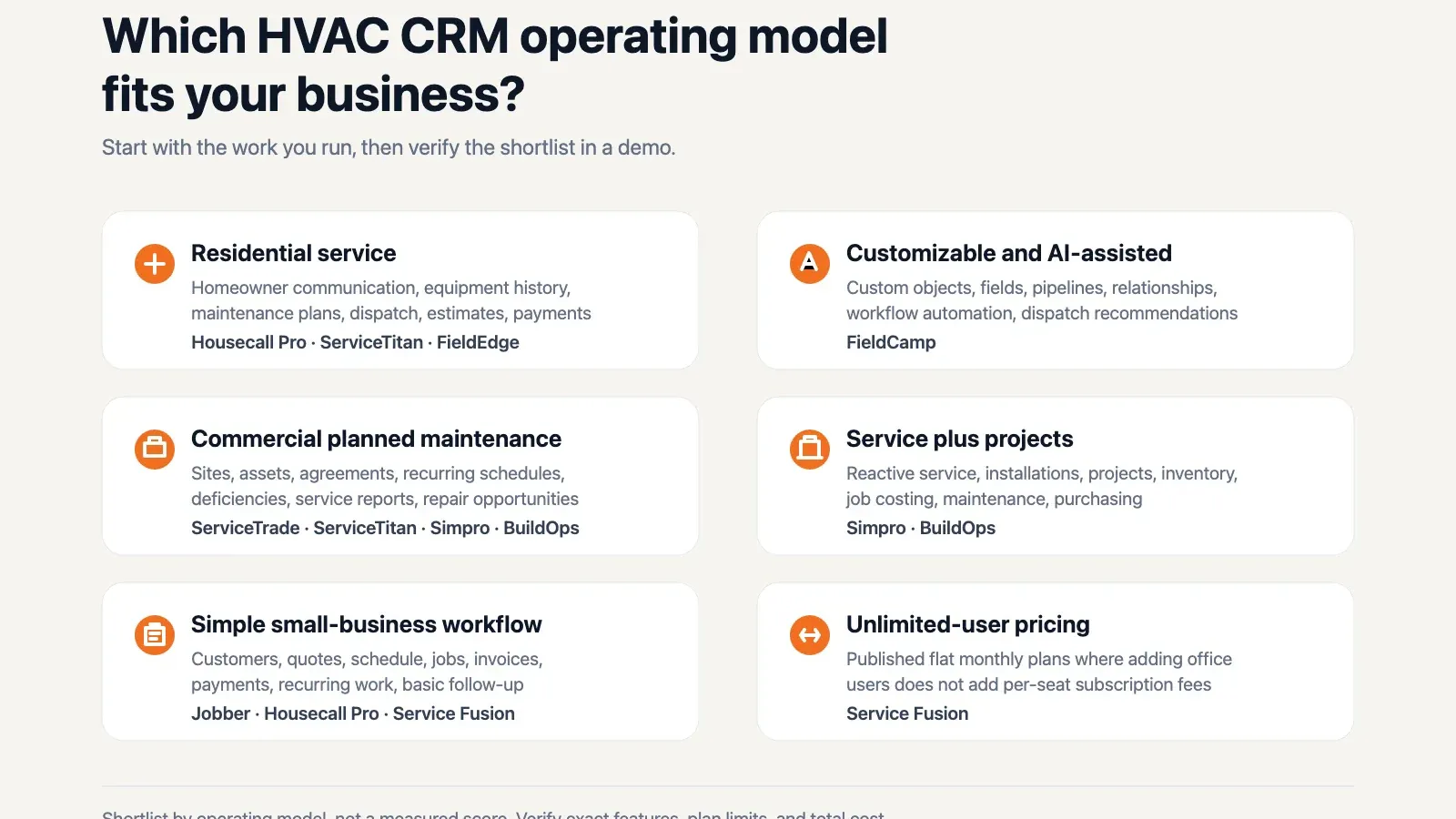
Operating-model shortlist derived from this article’s buyer-fit analysis; it is not a measured score.
Best HVAC CRM for a small residential business
Start with Housecall Pro and Jobber.
Choose Housecall Pro when equipment profiles, service plans, homeowner booking, and home-service communication matter. Choose Jobber when simple customer, quote, schedule, job, invoice, and payment workflows are the immediate priority.
Also evaluate FieldEdge if QuickBooks and HVAC-specific service history are important. Do not compare only the lowest advertised plans—price the tier that includes the users, service-plan workflow, accounting connection, and communication tools you actually need.
Best HVAC CRM for a growing residential company
Start with Housecall Pro, FieldCamp, FieldEdge, and ServiceTitan.
Housecall Pro remains a strong fit when the company is still centered on residential service and replacement. FieldCamp is relevant when the company wants to customize records and workflows, and use AI-assisted dispatch and workflow agents. FieldEdge is relevant for an established HVAC team tied closely to QuickBooks. ServiceTitan becomes a stronger candidate when the company needs deeper dispatch, reporting, sales, membership, equipment, and multi-location workflows.
Best CRM for commercial HVAC service
Start with ServiceTrade, Simpro, BuildOps, and ServiceTitan.
- ServiceTrade: strongest fit for equipment-centered service, agreements, deficiencies, and repair follow-up
- Simpro: strongest fit when inventory, projects, and asset maintenance must work together
- BuildOps: commercial service-and-project platform to validate in a live demonstration
- ServiceTitan: broad option for a larger organization combining residential and commercial work
Commercial buyers should test the system using several sites, several assets per site, an agreement covering selected equipment, recurring visits, inspection findings, an open-deficiency list, quoted repairs, and a customer-facing report.
Best HVAC CRM for service and installation projects
Start with Simpro and BuildOps. Add ServiceTitan if the company also has a large residential service operation.
The key questions are project costing, purchase orders, inventory, staged work, technician time, quoted variations, invoicing, and how project history connects back to the customer site and installed equipment.
Best customizable and AI-assisted HVAC CRM
Evaluate FieldCamp when the company needs custom records, workflow stages, permissions, or data relationships that fixed platforms cannot model cleanly. It is also the clearest option in this comparison for combining that configurable model with documented AI-assisted dispatch and AI Agent steps inside workflow automation.
Configuration and AI are useful only when they solve a real operational difference. Define the unusual record, dispatch decision, or workflow before the demo, then ask the vendor to build it using sample data and show the human-review controls.
How to choose HVAC CRM software
1. Define the operating model
Write down the percentage of work that is:
- Residential service
- Residential replacement
- Commercial reactive service
- Planned preventive maintenance
- Quoted repair work
- Installation or construction projects
This eliminates products designed for a different business before a polished demo creates confusion.
2. Test the equipment record
Ask the vendor to create one customer with two locations and several HVAC units at each location. Each unit should have:
- Make
- Model
- Serial number
- Installation date
- Warranty information
- Service history
- Photos and documents
- Open recommendations or deficiencies
If the system can only attach a note to the address, it does not provide the same equipment history as an asset-based CRM.
3. Test maintenance agreements
Ask the vendor to show:
- Covered customer and locations
- Covered equipment
- Agreement value
- Start, renewal, and expiration dates
- Visit schedule
- Included and excluded work
- Recurring invoice process
- Renewal reminders
- Agreement profitability
A recurring calendar job is useful, but it is not automatically a complete agreement-management system.
4. Price the required plan
Build a twelve-month cost estimate using:
- Office users
- Field users or technicians
- Required package
- Implementation
- Data migration
- Accounting integration
- Phone, SMS, or call tools
- Payments
- AI or usage-based products
- Added users expected during the year
This is more useful than comparing entry prices that include different capabilities.
5. Test the completed-job output
Ask what happens when a technician finishes a visit:
- Is the equipment record updated?
- Are forms and photos attached?
- Are recommendations stored?
- Can a deficiency become a quote?
- Is a customer-facing report generated?
- Is the invoice created?
- What moves to accounting?
The value of an HVAC CRM is not only what the technician sees before the job. It is the clean operational record left behind afterward.
6. Verify mobile and connectivity requirements
Use the same phone models and operating systems your technicians carry. Test:
- Job loading
- Notes and forms
- Photo capture
- Equipment lookup
- Estimates
- Signatures
- Payments
- Low-signal or offline behavior
- Reconnection and sync
Do not assume a platform’s mobile app supports every office workflow or that “offline” applies to all actions.
7. Confirm accounting and data export
Ask which records sync, in which direction, and how errors are corrected. Then ask for a sample export of customers, locations, equipment, agreements, jobs, attachments, invoices, and payments.
Export matters before purchase because it determines how difficult a future migration will be.
Frequently asked questions
What is the best CRM for an HVAC company?
Housecall Pro is a strong choice for a small-to-midsize residential company. FieldCamp is the best fit here for a company prioritizing customizable records, workflow automation, and AI-assisted dispatch. ServiceTitan is better suited to a larger residential or mixed operation that needs broader documented depth. ServiceTrade is the strongest commercial-service fit in this comparison, while Simpro is a strong option for companies combining service, projects, inventory, and asset maintenance.
What does CRM mean in HVAC?
HVAC CRM means customer relationship management software connected to field service. It stores customers and locations while also supporting equipment history, estimates, jobs, technician visits, invoices, payments, agreements, and customer communication.
What is the difference between HVAC CRM and HVAC field service software?
The terms overlap. CRM emphasizes customer records and communication. Field service management emphasizes scheduling, dispatch, technician work, and billing. Most HVAC platforms combine both, so the better comparison is the platform’s equipment, agreement, project, accounting, and mobile workflow.
How much does HVAC CRM software cost?
Published entry pricing in this comparison starts at $29 per month for Jobber’s annual prepaid option. Housecall Pro’s standard Basic plan starts at $79 monthly or $59 monthly billed annually. Service Fusion Starter costs $245 monthly. ServiceTitan, ServiceTrade, Simpro, FieldEdge, and BuildOps require custom pricing or a quote.
What is the best HVAC CRM for a small business?
Jobber is the simplest lower-cost starting point. Housecall Pro is a stronger candidate when the company needs equipment profiles, service plans, homeowner communication, and a more residential-HVAC-oriented workflow.
What is the best CRM for commercial HVAC?
ServiceTrade is the strongest fit here for equipment-centered commercial service, agreements, deficiencies, and repair follow-up. Simpro is strong when projects and inventory also matter. BuildOps and ServiceTitan should also be evaluated for commercial service-plus-project or mixed residential-commercial operations.
Does HVAC CRM track equipment?
Many HVAC-specific platforms do, but the depth varies. ServiceTitan, Housecall Pro, ServiceTrade, Simpro, FieldEdge, BuildOps, and FieldCamp document equipment or asset records. During a demo, confirm multiple units per location, separate service history, warranty fields, covered agreements, photos, documents, and open recommendations.
Can HVAC CRM manage maintenance agreements?
Many platforms support recurring work, memberships, service plans, or commercial agreements. These are not always the same. Confirm covered equipment, visit generation, billing, renewals, profitability, and whether the agreement is a first-class record or only a recurring job schedule.
Does HVAC CRM integrate with QuickBooks?
Housecall Pro, Jobber, FieldEdge, ServiceTitan, ServiceTrade, and Service Fusion publish QuickBooks connections. Plan requirements and sync direction vary. Ask what moves between the systems, when it moves, and how duplicate or failed records are corrected.
Can I use HubSpot or Salesforce as an HVAC CRM?
You can use a general CRM for sales and customer communication, but field operations normally require additional implementation for service locations, equipment, technician skills, dispatch, mobile work, agreements, and invoicing. Larger contractors sometimes connect a general sales CRM to a dedicated field service platform.
What software do most HVAC companies use?
Housecall Pro and ServiceTitan hold the largest share of the residential HVAC market, with Jobber common in smaller shops and ServiceTrade and BuildOps dominant in commercial service.
Popularity is not the same as fit. The right pick depends on whether your book is residential, commercial or mixed.
Final recommendation
Choose the shortlist by workflow:
- Residential service: Housecall Pro or Jobber
- Customizable, AI-assisted HVAC operations: FieldCamp
- Growing HVAC company tied to QuickBooks: FieldEdge
- Larger residential or mixed operation: ServiceTitan
- Commercial service and planned maintenance: ServiceTrade
- Service, projects, inventory, and assets: Simpro
- Commercial service and project platform: BuildOps
- Unlimited-user pricing: Service Fusion
Then ask every vendor to demonstrate the same customer, locations, equipment, agreement, job, completed-visit, invoice, accounting, and export workflow using your sample data. The best HVAC CRM is the one that handles your real work cleanly without forcing the team to rebuild missing records in spreadsheets.
Sponsored
Ready to upgrade your dispatch?
FieldCamp uses AI to optimize routes, auto-assign jobs, and eliminate scheduling chaos — so you can run more jobs with fewer headaches.

Tested and written by
Azaz Vepari
Editor, Modern Field Service
Tool profiles
Pricing, best fit and limitations for each tool in this review, one page each.