Published Updated  Azaz Vepari13 Mins read
9 Best HVAC Apps for Contractors in 2026
Compare HVAC apps for field diagnostics, business management, job photos, accounting, and fleet maintenance—without ranking unlike tools as if they do the same job.
Source-based assessment. Read our evidence standard.
In this article11 sections
Pricing refresh — 26 October 2026: We rechecked selected vendor pricing sources, corrected outdated plan references and added the software evaluation checklist. Capability sections and vendor screenshots retain their original source dates; this update does not claim a new hands-on implementation test. Use the demo checklist to verify fit with your own workflow.
The best HVAC app depends on the work you need it to do. Jobber is the simplest starting point for a small service business.
Housecall Pro is stronger when residential customer communication and presentation matter. FieldCamp is the more configurable choice for an HVAC company that wants equipment records, field workflows, and AI-assisted dispatch in one operating system.
ServiceTitan is the deepest option here for a larger company prepared for a more involved rollout.
Those are business-management systems. They do not replace technician tools.
Bluon is better for equipment lookup and technical reference, while measureQuick is built for connected diagnostics and commissioning. CompanyCam handles jobsite photo evidence, QuickBooks Online handles accounting, and Fleetio manages vehicle inspections and maintenance.
That distinction matters. A refrigerant reference app, a field service platform, and an accounting system should not be forced into one overall ranking.
Most established HVAC companies need a small stack, not one supposed winner.
The shortlist
| App | Category | Best for | Main limitation | Published starting price checked 1 August 2026 |
|---|---|---|---|---|
| Jobber | Field service management | Solo operators and small teams prioritizing ease of use | HVAC-specific equipment depth should be validated in a trial | From $29/month; plan scope and billing term vary |
| Housecall Pro | Field service management | Residential shops prioritizing booking, proposals, reminders, reviews, and payments | Equipment tracking and memberships sit above the entry plan | $79 monthly or $59/month billed annually for Basic |
| FieldCamp | Configurable field service management | Teams wanting configurable records and AI-assisted operations | Higher entry price than Jobber or Housecall Pro | Quote on request |
| ServiceTitan | Field service management | Larger residential or commercial operations with formal office processes | No public subscription price; new mobile app transition continues through 2026 | Quote required |
| Bluon | Technician reference | Equipment manuals, parts information, and field support | Not a scheduling, invoicing, or customer-management system | Public app-store listing does not establish full current plan cost |
| measureQuick | Diagnostics and commissioning | Teams using compatible Bluetooth probes and wanting consistent reports | Full value depends on compatible instruments and process adoption | Free diagnostics tier; Premier $49/user/month |
| CompanyCam | Photo documentation | Crews that need organized, time-stamped job evidence | Adds another project record unless connected to the core system | From $63/month for Core; plan and user terms vary |
| QuickBooks Online | Accounting | Bookkeeping, reconciliation, financial reporting, and tax-ready records | Mobile app omits several advanced web workflows | Plan pricing and promotions change; check Intuit before buying |
| Fleetio | Fleet maintenance | Companies managing inspections, repairs, service history, and vehicle costs | It is not HVAC job management or dispatch software | From $4/vehicle/month billed annually, subject to fleet-size bands |
Prices above are vendor-published US figures captured on 1 August 2026. Promotions, add-ons, payment processing, onboarding, user counts, and annual commitments can change the real total.
What counts as an HVAC app?
For this guide, an HVAC app is a mobile or mobile-accessible tool used in at least one recurring contractor workflow:
- running the service business;
- diagnosing or commissioning equipment;
- retrieving technical information;
- documenting work;
- keeping the books; or
- maintaining service vehicles.
The category does not include homeowner thermostat apps or building-control products. Those may involve HVAC equipment, but they answer a different question from the one an owner, dispatcher, service manager, or technician asks when building a contractor software stack.
How we evaluated the apps
Modern Field Service reviewed current vendor documentation, product pages, help centres, and published pricing. We did not conduct a hands-on test of all nine products, so this is a documentation-led comparison rather than a lab test or customer-experience ranking.
We assessed each product only within its real job category. For business-management systems, the criteria were customer and property context, scheduling, dispatch, estimates, invoices, payments, equipment history, recurring work, mobile access, and documented constraints.
Technician tools were assessed for reference or diagnostic scope, connected-tool requirements, and the quality of the record they leave behind. Supporting apps were assessed for the narrow workflow they own and the integration burden they create.
The companion video is embedded above as an additional explanation. The article is the current record: prices and product details were refreshed after the video was published.
Best HVAC business-management apps
1. Jobber — best simple starting point
Jobber is the easiest recommendation for a solo HVAC contractor or small service team that wants to replace paper, texts, and disconnected invoicing without beginning with an enterprise implementation.
Its HVAC product documentation covers scheduling and dispatch, quotes, invoices, online payments, customer history, route optimization, GPS tracking, automated reminders, recurring jobs, checklists, photos, time tracking, and field payment collection. The mobile app is available for iOS and Android, with selected team-member workflows available in Spanish.
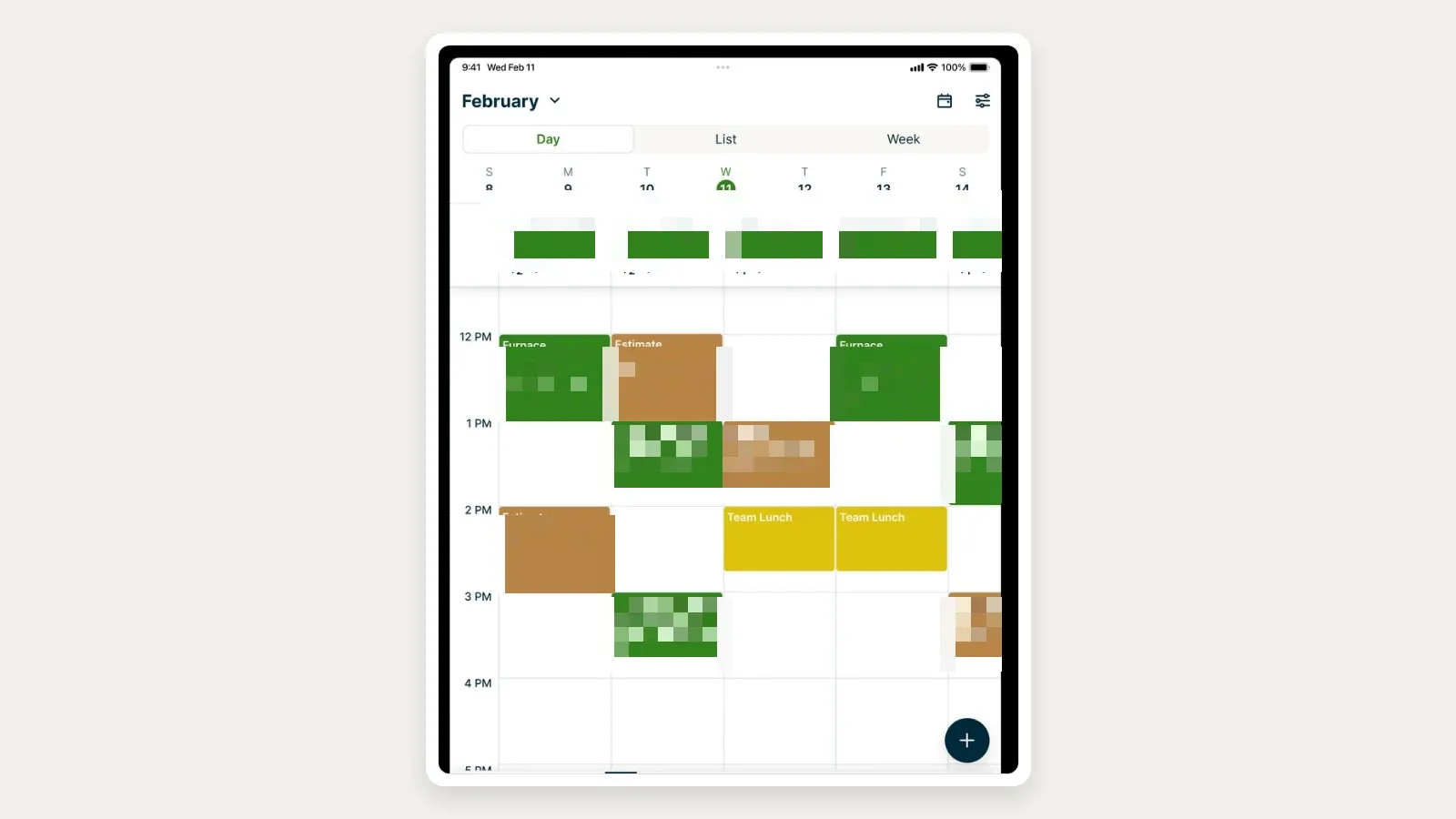
The reason to shortlist Jobber is not that it has the longest feature list. It is that its core workflow is legible: a request becomes scheduled work, the technician sees the job context, and the office can follow the quote-to-payment path.
Best fit: one-person businesses and small residential service teams that value a fast, understandable rollout.
Limitation: do not assume a generic client history is the same as a detailed HVAC asset model. During the trial, create a property with multiple systems, record make/model/serial data, attach a service agreement, complete a maintenance visit, and verify what a technician can retrieve from the phone.
Jobber’s current plans also gate automation, QuickBooks sync, profitability tools, and larger-team capabilities.
Pricing: Jobber advertises plans starting at $29 per month, but displayed prices and included users change with billing choice and plan configuration. Treat the live pricing page—not an old screenshot—as the buying record.
2. Housecall Pro — best residential customer experience
Housecall Pro is a stronger fit when an HVAC company wants the operating app and homeowner experience to move together. Its HVAC pages document online booking, scheduling and dispatch, estimates, invoicing, payments, proposals, a price book, review management, memberships, equipment tracking, job costing, and QuickBooks Online sync.
The iOS and Android mobile app is available in English and Spanish. Technicians can work with jobs, estimates, invoices, payments, and customer context from the field, while the office manages booking and follow-up.
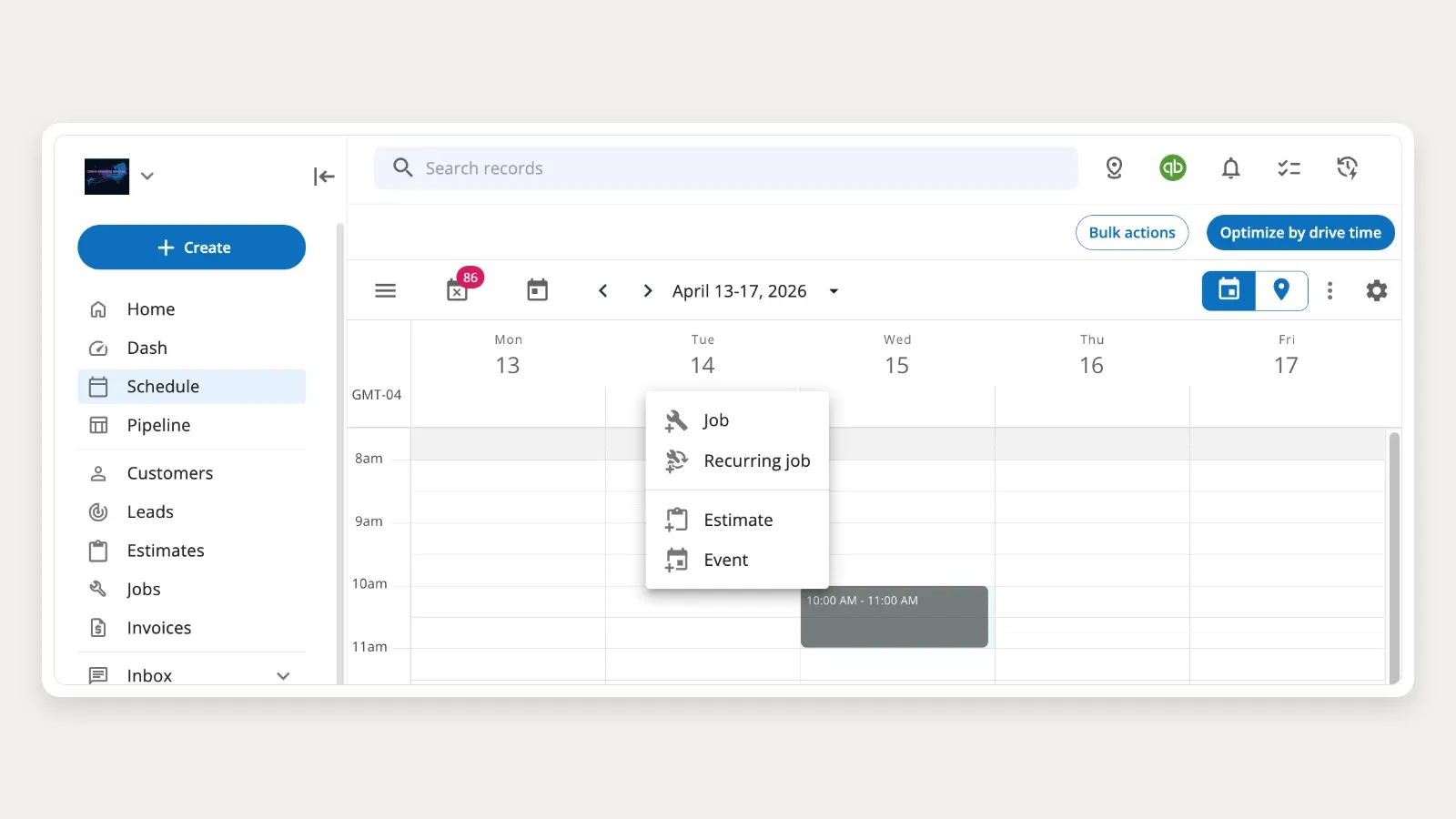
Best fit: residential replacement and service businesses where proposals, customer reminders, online booking, reviews, memberships, and polished payment collection are important.
Limitation: the headline Basic plan does not represent the complete HVAC feature set. Housecall Pro states that membership plans, equipment tracking, sales proposals, and flat-rate pricing are included on higher plans.
Compare the tier you actually need, not the cheapest advertised number.
Pricing: as of 1 August 2026, Housecall Pro lists Basic at $79 month-to-month or $59 per month billed annually for one user. Team pricing and higher tiers cost more, and add-ons can change the total.
3. FieldCamp — best configurable, AI-assisted HVAC operations
FieldCamp is the candidate to examine when an HVAC company does not want every property, asset, agreement, and workflow compressed into a fixed vendor template.
Current documentation lists clients, requests, jobs, visual scheduling, estimates, invoices, online booking, analytics, live tracking, and workflow automation as core modules. FieldCamp also documents web, iOS, and Android access.
Its AI Dispatcher can operate as a FieldCamp add-on or in a separate responsive web workspace, where dispatch recommendations use job and technician inputs and remain visible for human review.
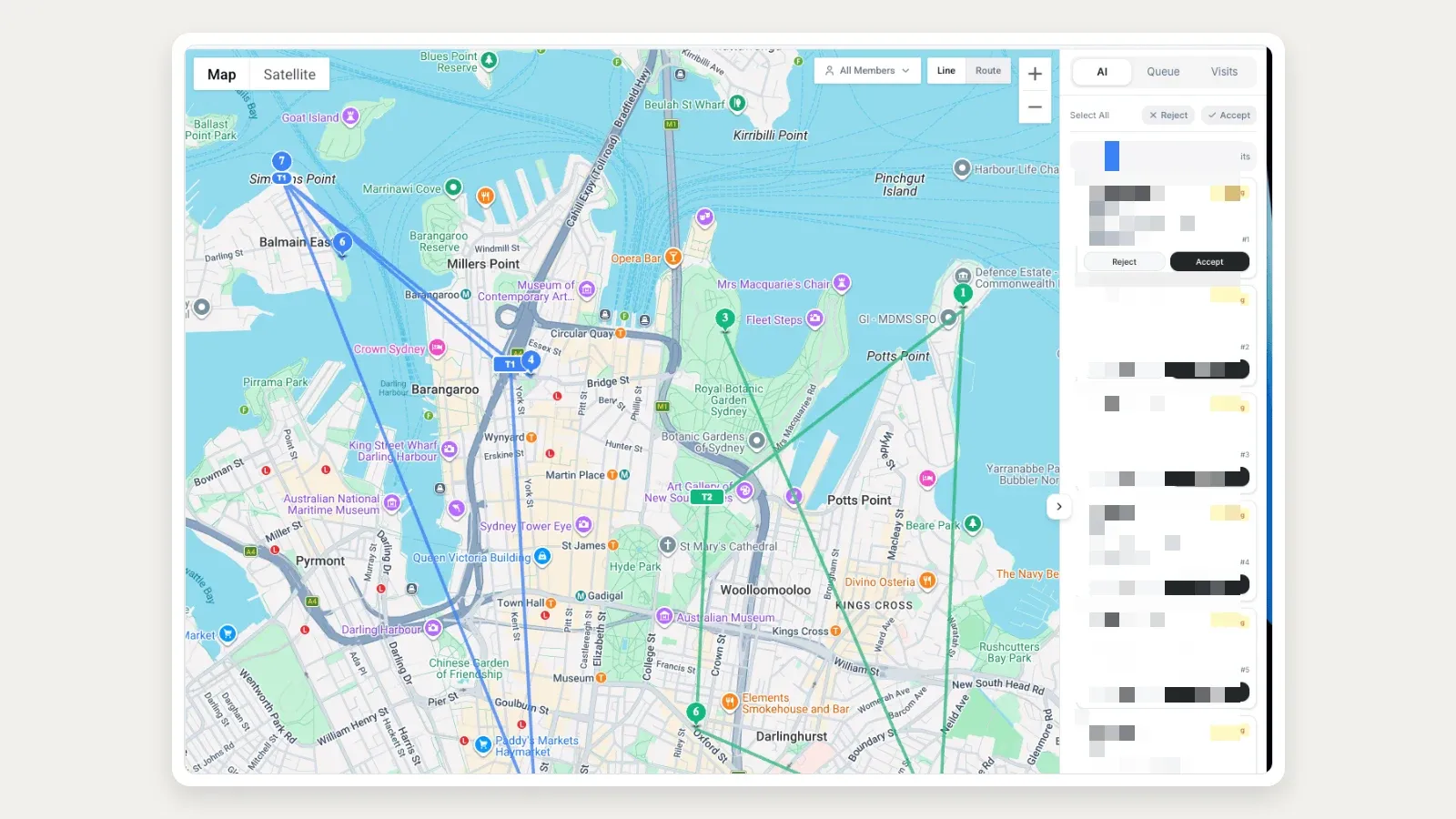
This is a substantive distinction for HVAC operations with multiple assets at one site, custom equipment fields, unusual service stages, or a need to connect structured records to automation. It is not proof that FieldCamp will automatically design the right process.
The buyer still has to define the data and rules.
Best fit: growing residential or commercial service teams that need configurable property/equipment records and want AI assistance within controlled operating workflows.
Limitation: configuration can create more implementation work than a deliberately simple product.
The standalone AI Dispatcher is responsive web software rather than a dedicated native mobile app, and its published FAQ says it currently integrates with FieldCamp only.
Pricing: FieldCamp pricing is quoted per business. Book a demo with FieldCamp to get a quote for your team. Validate included AI usage and add-ons against that quote.
4. ServiceTitan — best for a larger, process-heavy operation
ServiceTitan offers the broadest documented field and office footprint in this shortlist. Its current mobile documentation covers job and customer details, forms, photos, equipment scanning, estimates, price-book items, payments, timekeeping, memberships, service agreements, commercial tasking, daily logs, RFIs, and cost codes.
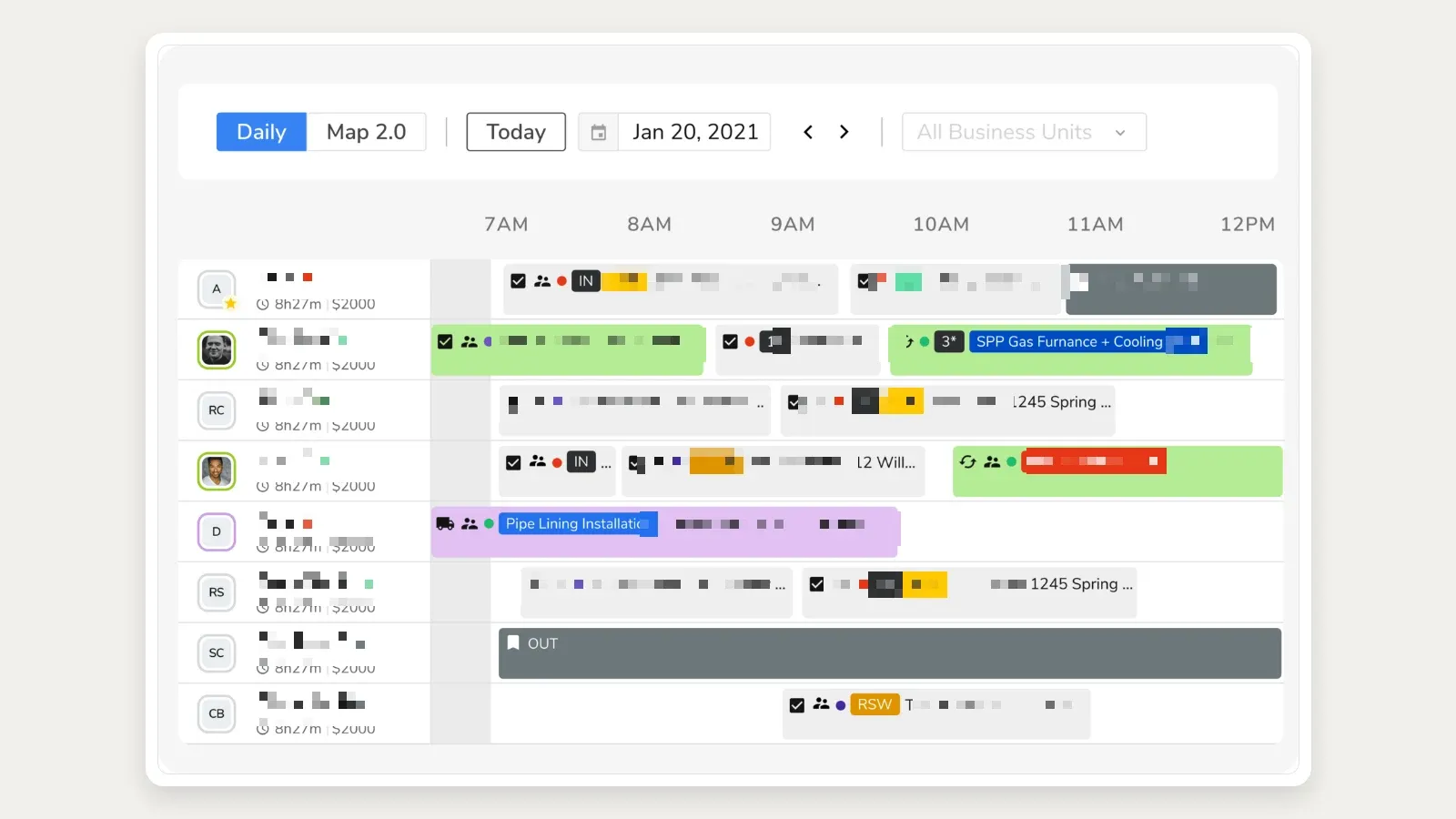
That breadth is most useful when an HVAC company already has specialist office roles, formal price-book governance, reporting requirements, and enough process maturity to implement and train around the platform.
Best fit: larger residential or commercial organizations that need a deep field workflow tied to a substantial back office.
Limitation: ServiceTitan does not publish a standard subscription price. Its new Field Mobile App is rolling out through 2026, and ServiceTitan’s own documentation says some functions from the existing mobile app are still being developed.
A buyer should confirm feature parity, device requirements, rollout eligibility, implementation cost, and add-on pricing in writing.
Pricing: quote required. Do not use third-party per-technician estimates as if they were an official current price.
Best HVAC technician apps
5. Bluon — best for equipment lookup and technical reference
Bluon is not a replacement for Jobber, Housecall Pro, FieldCamp, or ServiceTitan. It sits on the technician’s side of the stack.
Its current App Store listing describes an equipment database with more than 500,000 HVAC units, manuals and parts lists, an AI support tool, and access to veteran technical support. Bluon also exposes an equipment database explorer and developer tools for equipment and diagnostic data.
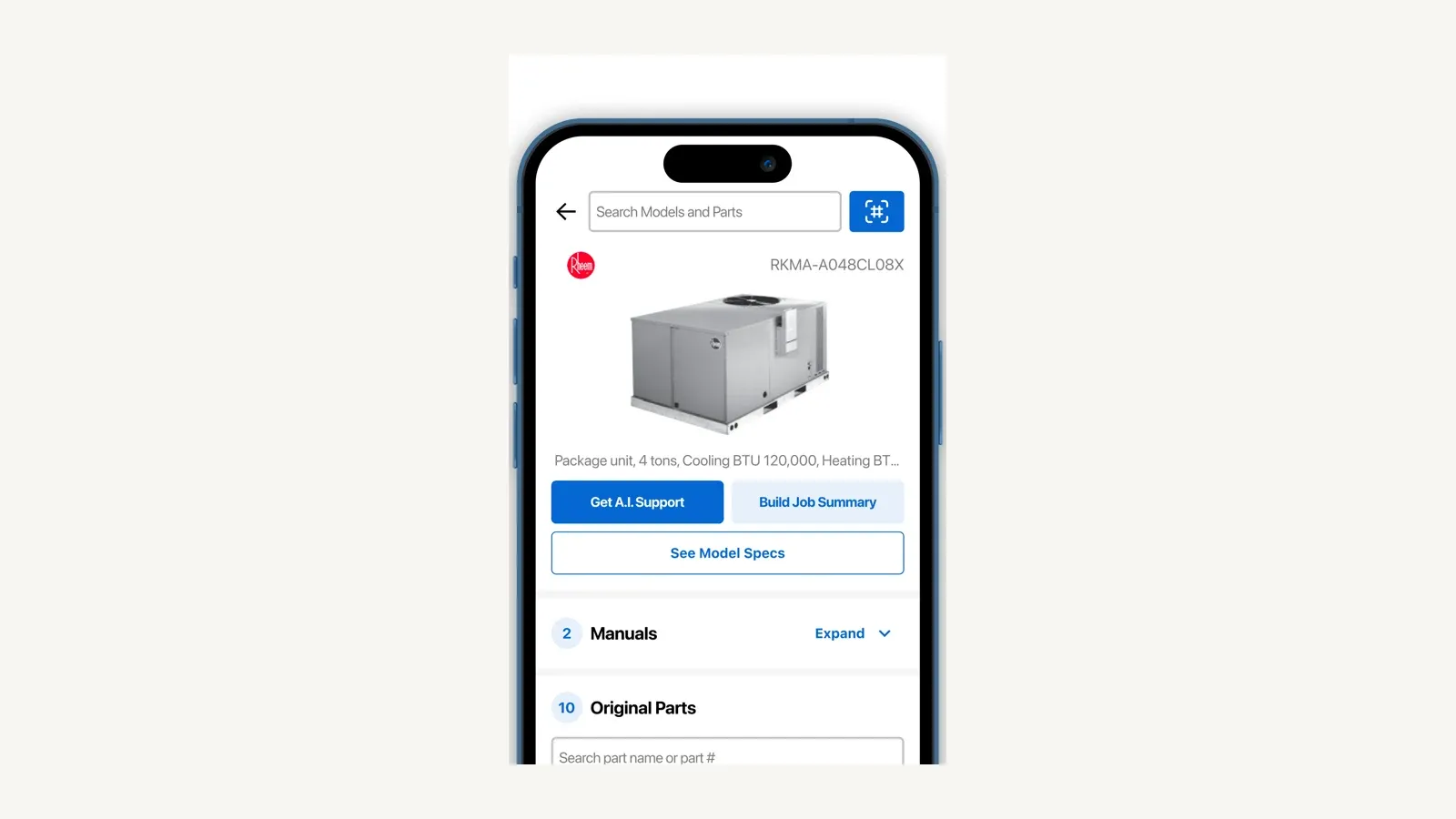
Best fit: technicians who frequently encounter unfamiliar equipment and need model-specific documentation or another technical reference path.
Limitation: Bluon does not own scheduling, customer records, invoicing, or dispatch. Access and support terms have changed over time, and the public sources reviewed here did not establish a durable all-features-free promise.
Confirm current lookup, support, onboarding, and subscription rules in the app before standardizing it across a team.
6. measureQuick — best for connected diagnostics and commissioning
measureQuick is the specialist choice when an HVAC contractor wants readings from compatible instruments to become a structured diagnostic and commissioning record.
The company documents support for more than 80 tools across more than 17 brands, real-time measurements, diagnostics, reports, system scoring, cloud reporting, and live data workflows. Compatible smart probes are central to the value proposition; the app does not turn a phone into a replacement for the instruments.
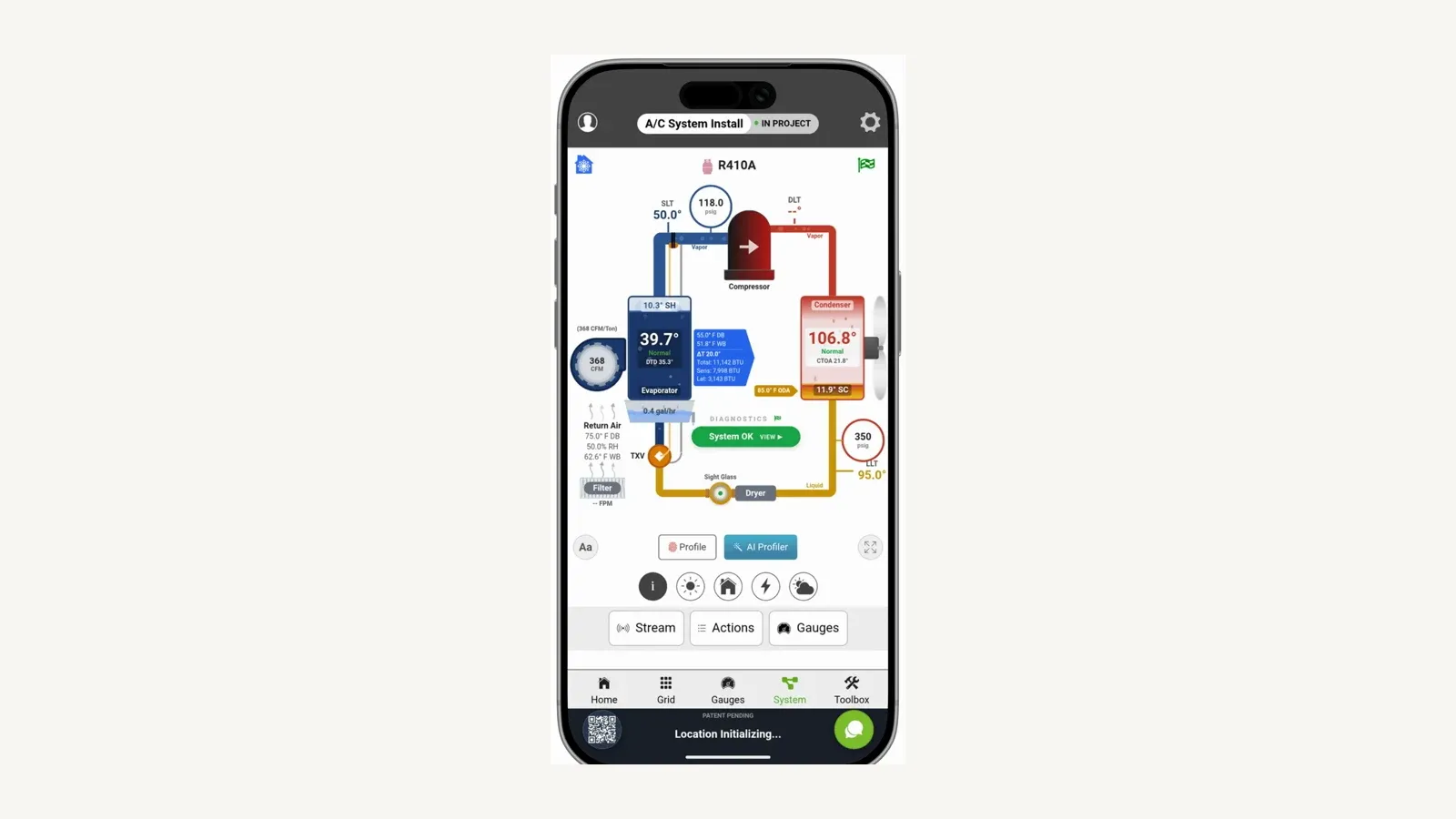
Best fit: service and commissioning teams that already use compatible Bluetooth probes and want repeatable system testing and customer-ready records.
Limitation: software alone does not create diagnostic quality. The company needs compatible instruments, correct test procedures, technician training, and a defined path for attaching the final report to the authoritative customer or equipment record.
Pricing: measureQuick publishes a free tier with real-time diagnostics and classic reports. Premier is listed at $49 per user per month for the wider platform.
Verify tool compatibility and integrations before buying.
Best supporting apps for an HVAC stack
7. CompanyCam — best for jobsite photo documentation
CompanyCam gives field crews a dedicated place to capture and organize photos, videos, documents, annotations, checklists, and job reports. Its pricing page documents timestamped media, project history, offline capture with later sync, and team workflows on higher plans.
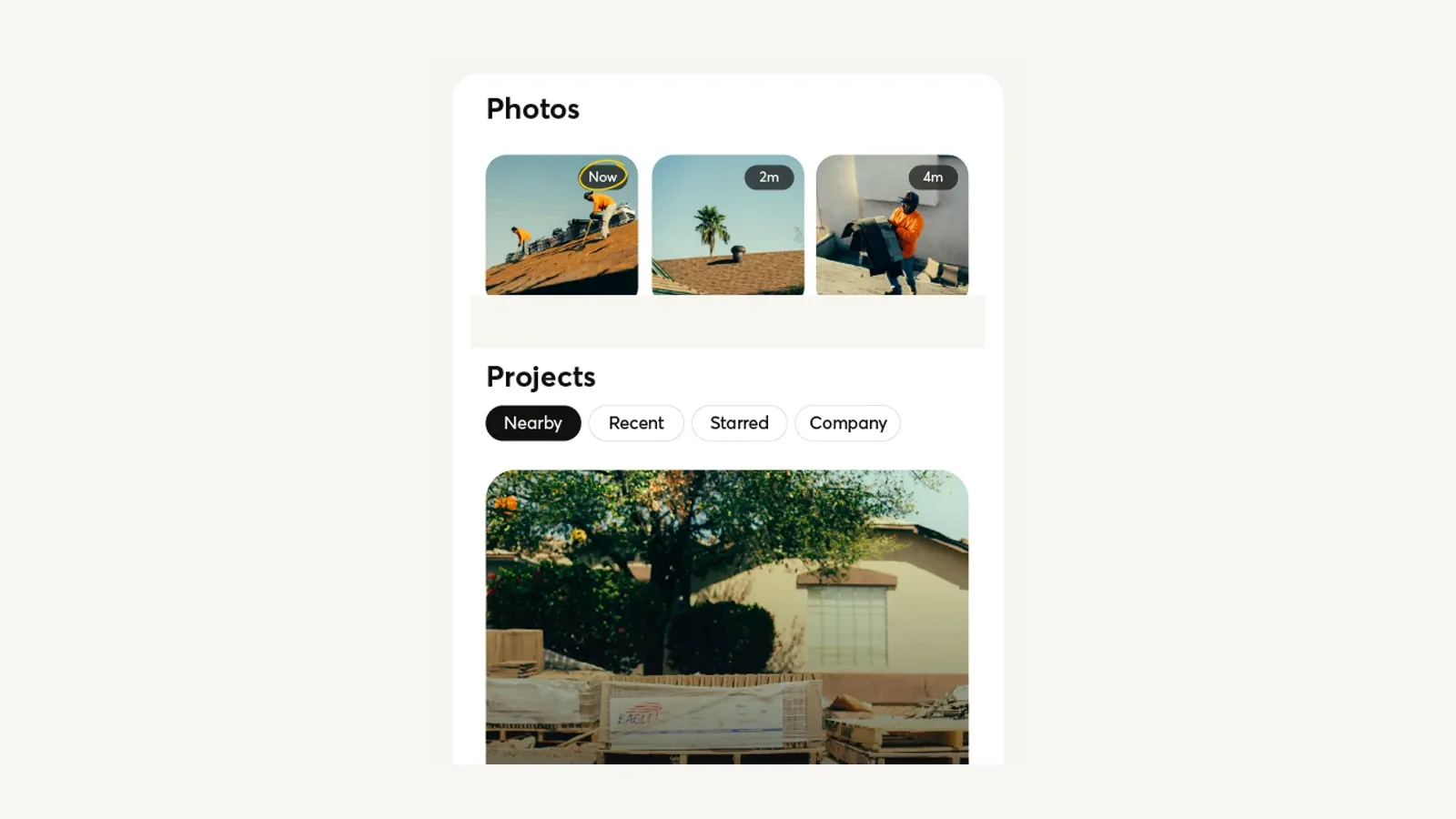
For HVAC work, that can mean keeping the model plate, failed component, pre-existing damage, attic access, install progress, and completed work in one visual record instead of scattering evidence across personal camera rolls and group chats.
Best fit: install, service, quality-control, and insurance-sensitive workflows where photo evidence is a first-class deliverable.
Limitation: a separate photo system can create a second project record. Before rollout, decide which system owns the customer, property, job, and asset; how CompanyCam projects are created; and where the durable link or report returns after closeout.
Pricing: CompanyCam currently shows Core from $63 per month and Crew from $129 per month, with annual billing and user terms affecting the total. Check the live page because the plan presentation is dynamic.
8. QuickBooks Online — best accounting backbone
QuickBooks Online belongs in this guide because many HVAC software decisions end at the accounting handoff. It should not be mistaken for a complete HVAC operating system.
Intuit documents estimates, invoices, payments, receipt capture, mileage, income and expense categorization, basic reports, and bank-transaction matching in the mobile app. The web product adds bank reconciliation, journal entries, more reporting, payroll, bills, inventory, projects, user administration, and other advanced workflows depending on the plan.
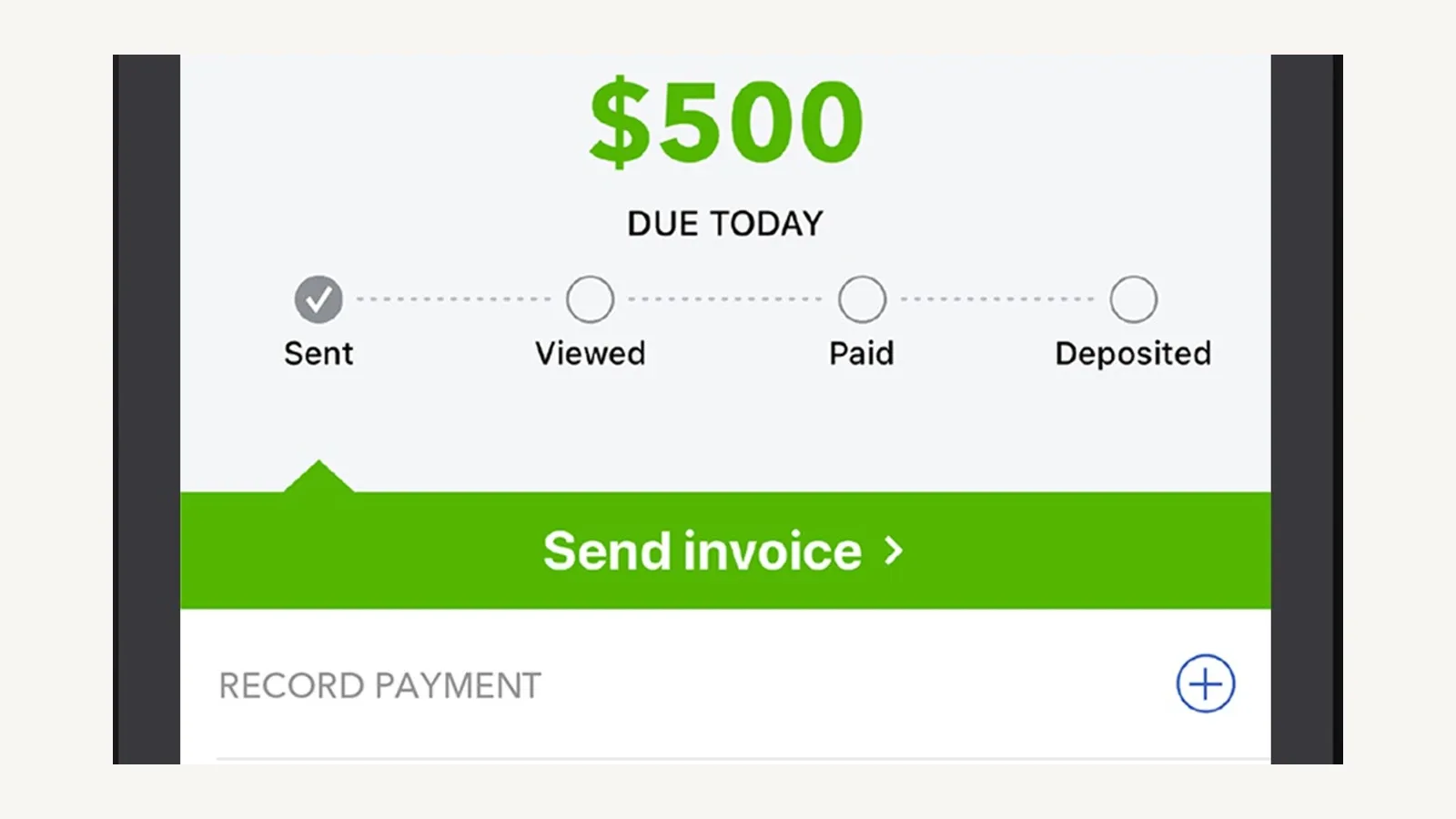
Best fit: companies that want QuickBooks to remain the financial system of record while a field service app manages requests, jobs, equipment, and technician work.
Limitation: the mobile app does not expose every web workflow, and duplicate entry remains possible when the field platform’s customer, tax, item, payment, and invoice mappings are poorly designed. Test the complete sync path and the failure/retry process—not only whether an integration logo exists.
Pricing: Intuit changes list prices and promotions frequently. Confirm the current US plan, user limit, payroll requirement, payment fees, and connected-app support immediately before subscribing.
9. Fleetio — best vehicle maintenance layer
Fleetio becomes relevant when truck inspections, preventive maintenance, repair histories, fuel, parts, and vehicle costs are large enough to deserve their own operating record.
Fleetio Go lets drivers and managers perform inspections and maintenance workflows from mobile devices. The broader platform is priced by vehicle and plan, with higher tiers adding deeper service, parts, reporting, and workflow capabilities.
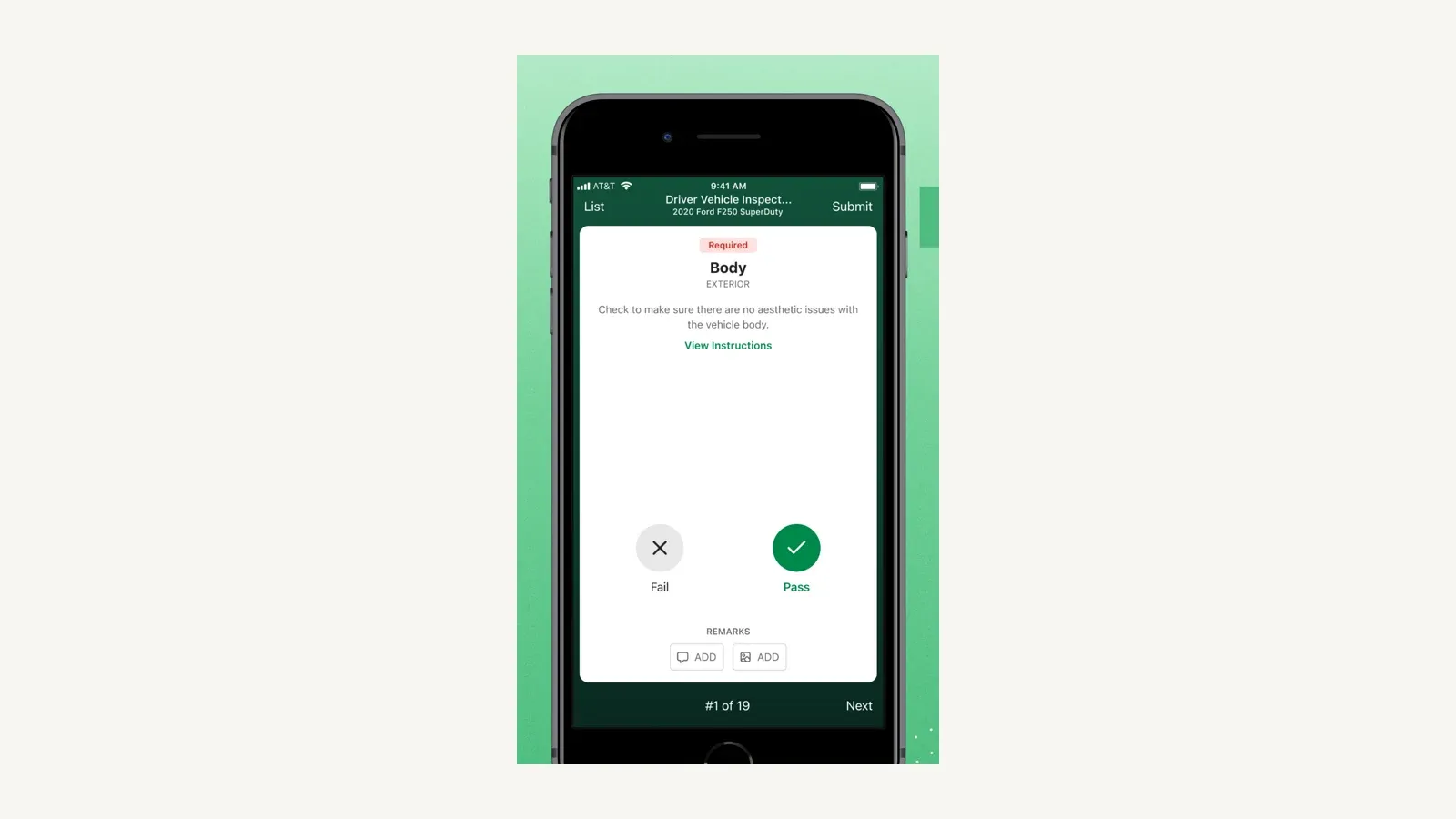
Best fit: HVAC companies with enough vehicles that missed inspections, reactive repairs, and incomplete cost histories are operational problems.
Limitation: Fleetio is fleet software, not HVAC dispatch or field service management. A five-truck business may gain value; a two-truck owner may add more administration than insight.
Define which vehicle events must flow to the field service or accounting system before adding another app.
Pricing: Fleetio lists Essential from $4 per vehicle per month billed annually, Professional at $7, and Premium at $10. Its pricing page notes that displayed rates assume a five-asset band and vary with plan, fleet size, contract term, and payment term.
The best HVAC app stack by company stage
Solo technician moving off paper
Start with one field service system and resist adding apps before a recurring need appears.
- Jobber for customer, quote, schedule, invoice, and payment flow.
- Bluon for equipment reference if it covers the equipment you see.
- QuickBooks Online if the bookkeeping workflow requires it.
The buying test is simple: can one real call move from request to paid invoice without retyping customer or job data?
Residential HVAC team focused on customer experience
- Housecall Pro as the operational system.
- measureQuick when connected diagnostics and documented commissioning are part of the service standard.
- CompanyCam when the core system’s photo workflow is not enough for install documentation.
- QuickBooks Online only through a tested accounting sync.
Avoid choosing three tools that each send customer texts. Assign one system to own booking confirmations, on-my-way notices, estimate follow-up, and payment reminders.
Configurable residential or commercial operation
- FieldCamp for customer, property, equipment, job, and workflow records.
- measureQuick for diagnostic evidence where compatible tools are used.
- CompanyCam only if its specialist photo workflow adds enough value to justify the extra record.
- QuickBooks Online as the financial destination when the integration path is verified.
- Fleetio once fleet maintenance is complex enough to require a dedicated owner.
The critical implementation question is not “Does it integrate?” It is: which exact record moves in which direction, at what event, with what retry path, and who resolves a mismatch?
Large operation with specialist office roles
- ServiceTitan as the core platform when its feature breadth and implementation model match the company.
- measureQuick, CompanyCam, QuickBooks, or Fleetio only where the core platform or marketplace connection leaves a defined gap.
Pilot the current ServiceTitan Field Mobile App with a small technician group and verify every required legacy workflow before changing the wider team.
Six tests to run before choosing an HVAC app
- Complete one real job. Create the request, match the property and equipment, schedule it, complete field notes, quote additional work, invoice it, take payment, and review the accounting result.
- Test weak connectivity. Verify what technicians can open, change, and submit with poor or no signal, plus how conflicts resolve when service returns.
- Use a multi-system property. If the app cannot distinguish several units, warranties, service histories, and agreements at one location, it may fail at HVAC-specific context.
- Price the required tier. Include users, add-ons, payment fees, onboarding, integrations, and annual commitments. The cheapest headline plan may omit the workflow you are buying.
- Define the authoritative record. Name the owner for customer, property, equipment, job, photo, invoice, payment, and vehicle data.
- Export before committing. Confirm what data and media can be exported, in what format, and what happens after cancellation.
Frequently asked questions
What is the best free HVAC app for technicians?
There is no universal free winner. Bluon is a useful equipment-reference candidate, while measureQuick offers a free tier for real-time diagnostics and classic reports.
Their jobs differ. Confirm current access limits and ensure the selected app covers the equipment, refrigerants, instruments, and workflows your technicians actually use.
What is the best HVAC app for a small business?
Jobber is the clearest starting shortlist for a solo operator or small team because it combines scheduling, quoting, invoicing, customer communication, and mobile field work in a relatively simple system. Housecall Pro deserves comparison when residential presentation, memberships, reviews, and customer communication are priorities.
Run the same real job through both before deciding.
Can QuickBooks replace HVAC field service software?
Not completely. QuickBooks can manage accounting, estimates, invoices, payments, expenses, and financial reporting.
It does not replace the full request, dispatch, technician, property/equipment, and service-history workflow of an HVAC field service platform.
Do HVAC technicians need an offline app?
They need the required field workflow to survive weak connectivity. “Offline” is not one feature: test login state, job access, photos, forms, price-book use, signatures, payments, edits, queued sync, and conflict handling separately.
Should an HVAC company use one app or several?
Use one system as the operational source of truth, then add specialist apps only for a documented gap. A typical stack might combine one field service platform with measureQuick for connected diagnostics and QuickBooks for accounting.
More apps are useful only when ownership and data handoffs remain clear.
Which HVAC app is best for commercial service?
FieldCamp and ServiceTitan are the strongest candidates in this list for a commercial evaluation, but for different reasons. FieldCamp emphasizes configurable records and workflows; ServiceTitan documents broader commercial and back-office depth.
Test multi-site customers, equipment histories, service agreements, contracted pricing, technician permissions, projects, and closeout documentation against your actual operating model.
What is the best app for HVAC technicians and contractors?
There is no single app that is best for both, which is why this list separates them.
A technician’s best app is a reference or diagnostic tool such as Bluon or measureQuick; a contractor’s best app is the business platform the whole shop runs on.
Final verdict
Do not buy “the best HVAC app.” Buy the smallest coherent stack that can carry a real service call without losing equipment context or creating duplicate work.
For a small team, start with Jobber. For a residential customer-experience emphasis, compare Housecall Pro.
For configurable records and AI-assisted operations, evaluate FieldCamp. For a larger process-heavy organization, evaluate ServiceTitan.
Then add Bluon, measureQuick, CompanyCam, QuickBooks Online, or Fleetio only for the specialist job each product actually owns.
Sources
- Jobber HVAC software and mobile workflow
- Jobber pricing
- Housecall Pro HVAC software
- Housecall Pro pricing
- FieldCamp product overview
- FieldCamp plans and pricing
- FieldCamp AI Dispatcher access
- FieldCamp AI Dispatcher limitations and mobile access
- ServiceTitan Field Mobile App documentation
- ServiceTitan field service mobile app
- Bluon HVAC App listing
- Bluon equipment database explorer
- measureQuick product and pricing
- measureQuick getting started and Premier pricing
- CompanyCam pricing
- QuickBooks mobile versus web workflows
- Fleetio pricing
- Fleetio Go mobile app
Research refreshed 1 August 2026. Modern Field Service assessed published documentation and did not perform a hands-on test of every product. Prices and availability can change; verify the current vendor page and contract before buying.
Sponsored
Ready to upgrade your dispatch?
FieldCamp uses AI to optimize routes, auto-assign jobs, and eliminate scheduling chaos — so you can run more jobs with fewer headaches.

Written by
Azaz Vepari
Editor, Modern Field Service
Tool profiles
Pricing, best fit and limitations for each tool in this review, one page each.