Azaz Vepari10 Mins read
7 Best HVAC Invoicing Software Platforms in 2026
Compare HVAC invoicing software for field billing, progress invoices, recurring work, payments, QuickBooks sync, and commercial job costing.
Source-based assessment. Read our evidence standard.
In this article9 sections
The best HVAC invoicing software depends on what must happen before and after the invoice is created. Jobber is the clearest starting point for a small service team, while Housecall Pro is stronger when residential proposals, payment collection, and customer communication need to stay in one workflow.
FieldCamp is the most configurable option in this comparison for contractors that need custom invoice fields, document templates, recurring billing rules, and a choice of QuickBooks, Xero, or Wave connections. ServiceTitan and FieldEdge fit established HVAC operations with deeper pricebook, accounting, and multi-truck requirements, while BuildOps is built around commercial service and project billing.
QuickBooks Online belongs on the shortlist when accounting is the primary need. It does not replace HVAC scheduling, equipment history, dispatch, or work-order closeout, so most field-service companies use it with an operating platform rather than alone.
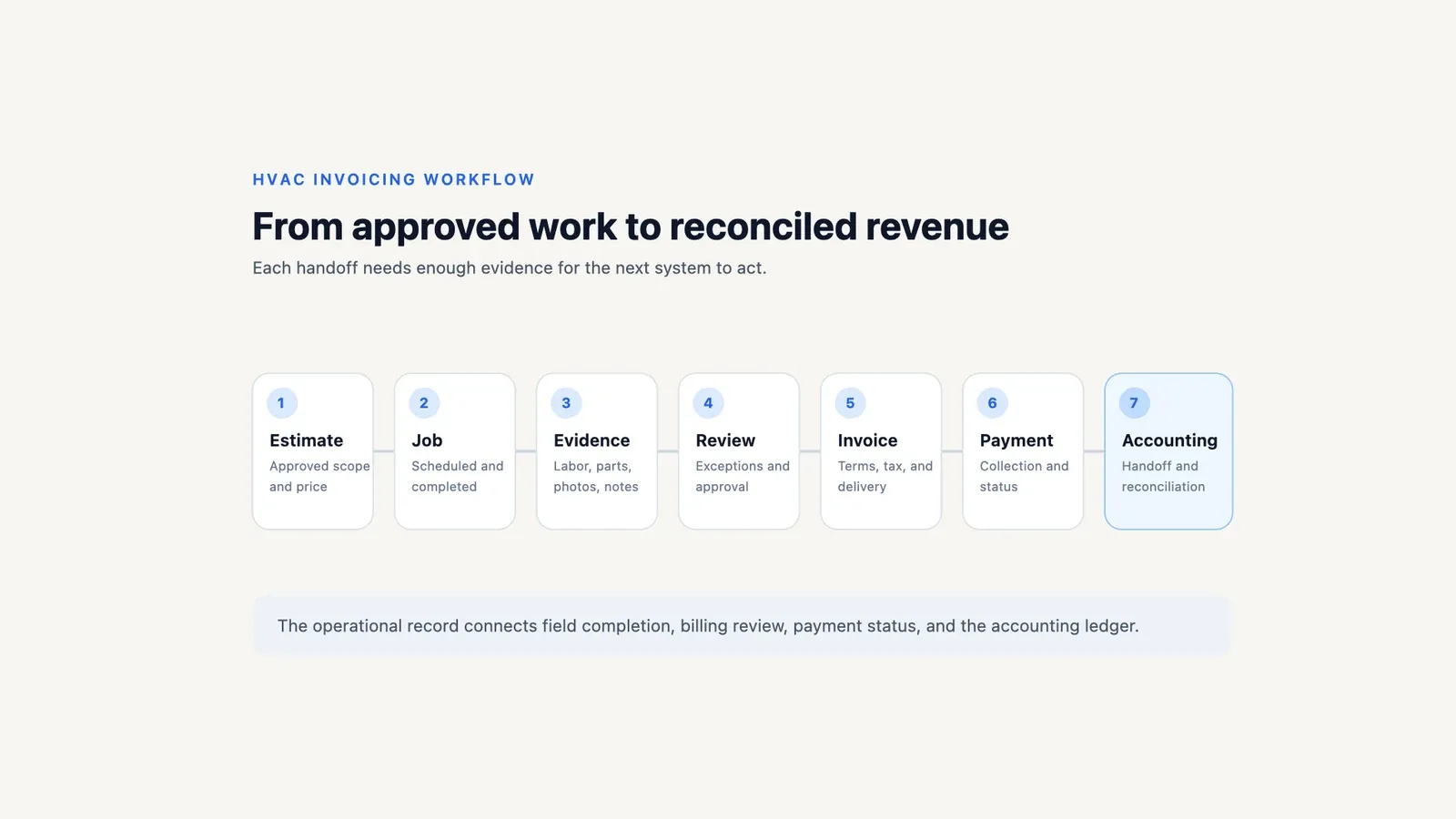
A reliable billing chain connects approved scope, completed work, field evidence, review, invoicing, payment status, and the accounting ledger. Source: Modern Field Service editorial.
Best HVAC invoicing software at a glance
| Platform | Best for | Billing strengths | Published pricing checked 3 August 2026 | Main limitation |
|---|---|---|---|---|
| Jobber | Small HVAC teams | Fast job-to-invoice flow, batch invoices, reminders, online payments | From $21/month billed annually for 1 user; QuickBooks sync starts on higher plans | QuickBooks Online sync is one-way; commercial billing depth is limited |
| Housecall Pro | Residential HVAC sales and payments | Progress invoicing, payment schedules, card/ACH, reminders, QBO/Desktop sync | Basic $59/month annually or $79 monthly for 1 user | QuickBooks sync and advanced tools are plan-specific |
| FieldCamp | Configurable billing workflows | Job/estimate invoices, custom fields, recurring invoices, Stripe, QBO/Xero/Wave | Quote on request | Custom objects and accounting connections are not on the entry plan |
| ServiceTitan | Larger residential or mixed operations | Pricebook, field invoices, transaction controls, AR visibility, accounting exports | Quote only; priced per technician | No public dollar price and a heavier implementation |
| FieldEdge | HVAC teams centered on QuickBooks | On-site invoices and payments with QuickBooks Online/Desktop on every plan | Quote only; three plans with 2, 4, or 6 mobile licenses | No free trial; advanced agreements and reporting are tiered |
| BuildOps | Commercial service and project billing | T&M, quoted, unit-price and progress billing tied to field cost data | Custom quote based on field and office users, modules, and integrations | More system and implementation than a small residential shop needs |
| QuickBooks Online | Accounting-first businesses | Estimates, progress invoices, recurring invoices, payments, books and reconciliation | List prices from $38/month; temporary promotions vary | Not HVAC field service management software |
Published prices are snapshots, not promises. Ask every vendor for the regular subscription, user count, implementation, payment-processing, messaging, integration, support, and add-on costs that apply to your real workflow.
What HVAC invoicing software should actually do
An invoice generator is only one part of the billing system. HVAC contractors need the software to preserve the approved scope, labor, materials, equipment, tax, deposits, signatures, photos, service-agreement terms, and payment history that justify the charge.
The most useful buying criteria are:
- Job-close continuity: time, materials, notes, photos, and signatures move from the completed visit into a draft invoice.
- Pricing control: technicians use the correct pricebook, contract rate, markup, or customer-specific rule.
- Billing-model fit: the system supports service tickets, fixed price, time and materials, recurring maintenance, deposits, or progress billing as required.
- Review controls: the office can catch missing time, unbilled materials, duplicate charges, and exceptions before sending.
- Collection options: customers can pay by the methods the company offers, and payment status returns to the invoice.
- Accounting boundary: the direction, trigger, supported records, error handling, and ownership of the accounting sync are explicit.
- Audit trail: voids, edits, partial payments, refunds, and write-offs remain explainable.
How we evaluated the platforms
This is a documentation-led comparison, not a hands-on test. We reviewed current vendor product pages, help documentation, integration pages, and pricing pages on 3 August 2026.
The ranking reflects verified fit for distinct HVAC billing models, not popularity or sponsorship. Modern Field Service does not accept payment for placement, and FieldCamp receives the same evidence and limitation tests as every other vendor.
The 7 best HVAC invoicing platforms
1. Jobber — best simple invoicing workflow for a small HVAC team
Jobber turns completed jobs into digital invoices, sends them by text or email, and supports invoice reminders, automated follow-ups, batch invoicing, online payments, deposits, and recurring billing prompts. That is a good fit for a small residential service company that wants the office and field team to use one uncomplicated job-to-payment flow.
Its QuickBooks Online connection is clearly documented as a one-way sync from Jobber. Clients and products can be imported initially, while timesheets, invoices, payments, refunds, tips, and payouts then move from Jobber into supported US and Canadian QuickBooks Online plans.
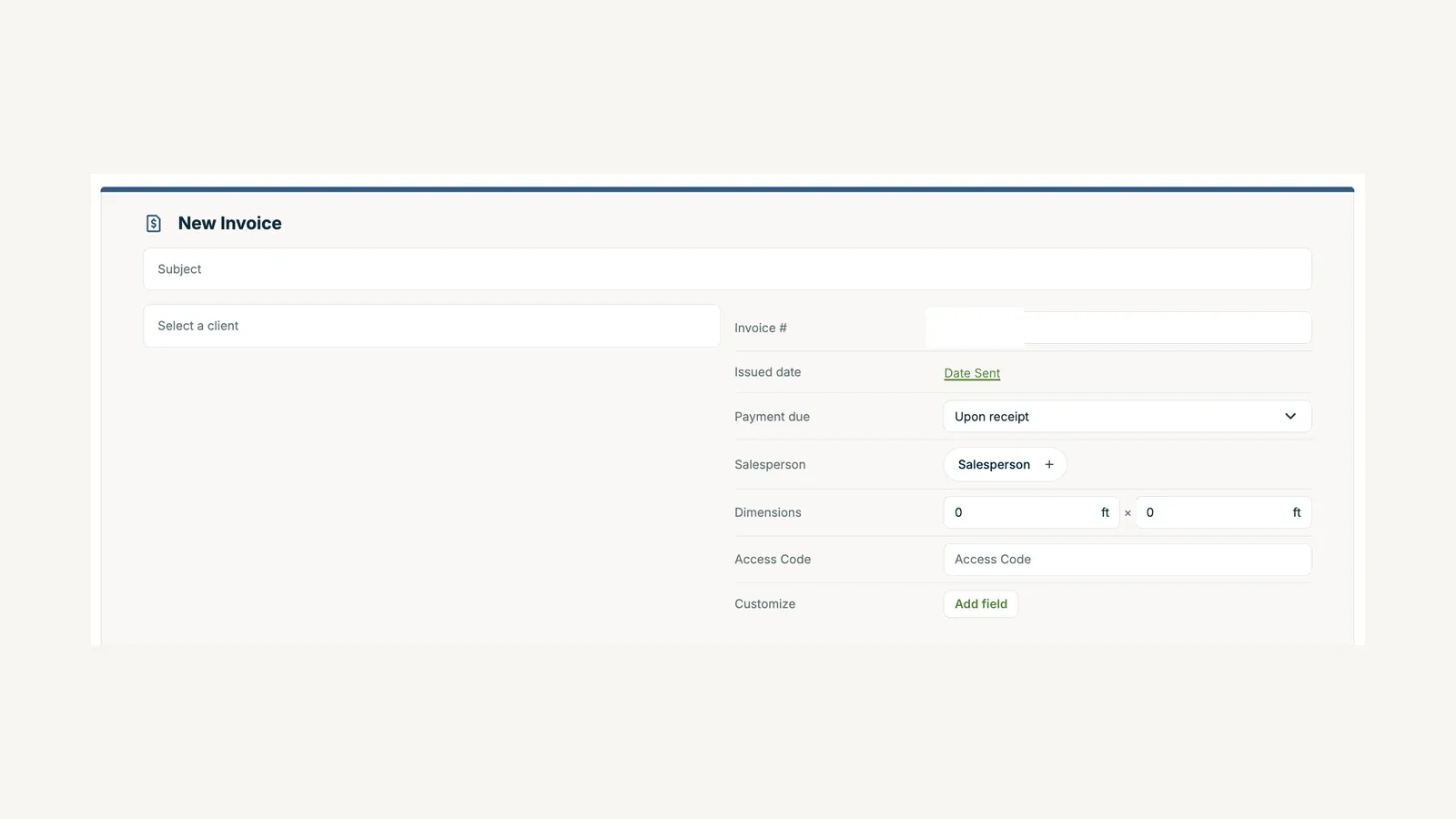
Jobber’s invoice builder organizes client, due-date, salesperson, dimension, access-code, and custom-field inputs in one form. Source: Jobber official Help Center.
Best fit: one-to-ten-person HVAC companies replacing paper, spreadsheets, or disconnected invoice apps.
Important limitation: Jobber does not sync to QuickBooks Desktop, and the QuickBooks Online connection is available on Connect and Grow rather than the entry plan. Commercial contractors should also verify progress billing, customer-specific rates, multi-site approvals, and service-agreement invoicing with sample data.
2. Housecall Pro — best for residential proposals, progress invoices, and payments
Housecall Pro invoicing supports prefilled invoices, text or email delivery, card and bank payments, automated reminders, cards on file, and progress invoices based on a dollar amount or percentage of the job. That combination suits residential replacement and multi-day work where deposits and staged payments must remain visible against the total job.
Its current QuickBooks documentation explains the triggers and failure boundary better than most marketing pages. Invoices can sync when a job is finished, sent, or paid, while deleted or canceled Housecall Pro invoices still need manual handling in QuickBooks Online.
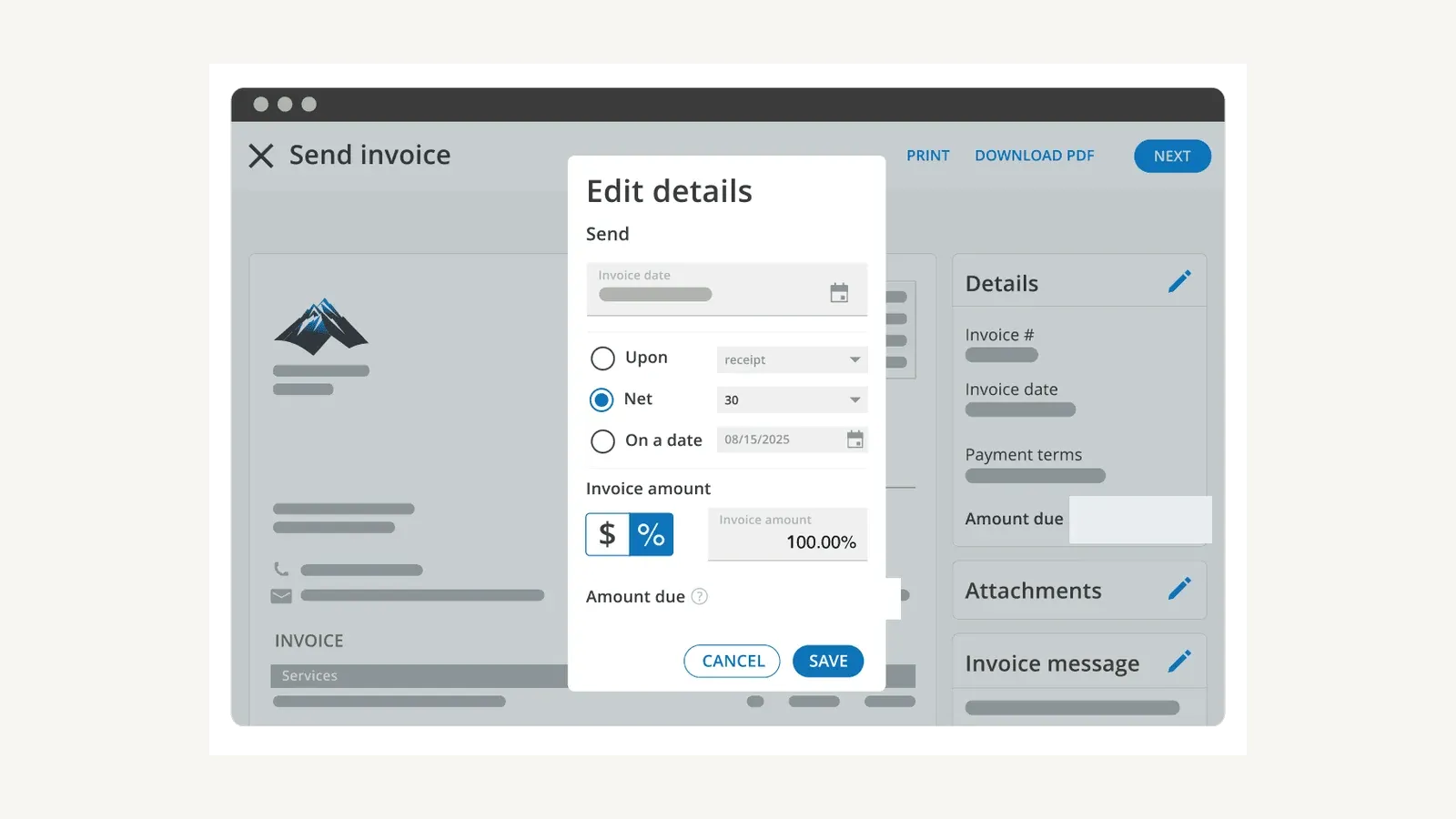
Housecall Pro supports setting payment terms and invoicing a percentage of the job total. Source: Housecall Pro official Help Center.
Best fit: residential HVAC teams that care about customer-facing proposals, convenient payment collection, and a connected sales-to-invoice experience.
Important limitation: QuickBooks Online sync sits above the Basic plan, payment fees are separate, and some advertised outcomes are vendor claims rather than independent results. Test refunds, partial payments, service-plan charges, and invoice corrections before rollout.
3. FieldCamp — best configurable HVAC invoicing workflow
FieldCamp invoices can start from a completed job, an approved estimate, or a blank invoice. Job line items, labor, materials, deposits, client details, taxes, custom fields, document templates, partial payments, recurring invoices, and online Stripe payments can remain connected in the same record flow.
FieldCamp stands out when the invoice must carry commercial references such as a site, purchase-order number, project code, billing period, or equipment relationship. Its accounting documentation describes QuickBooks Online, Xero, and Wave connections for invoices and payments, with the integration gated to the Pro plan.
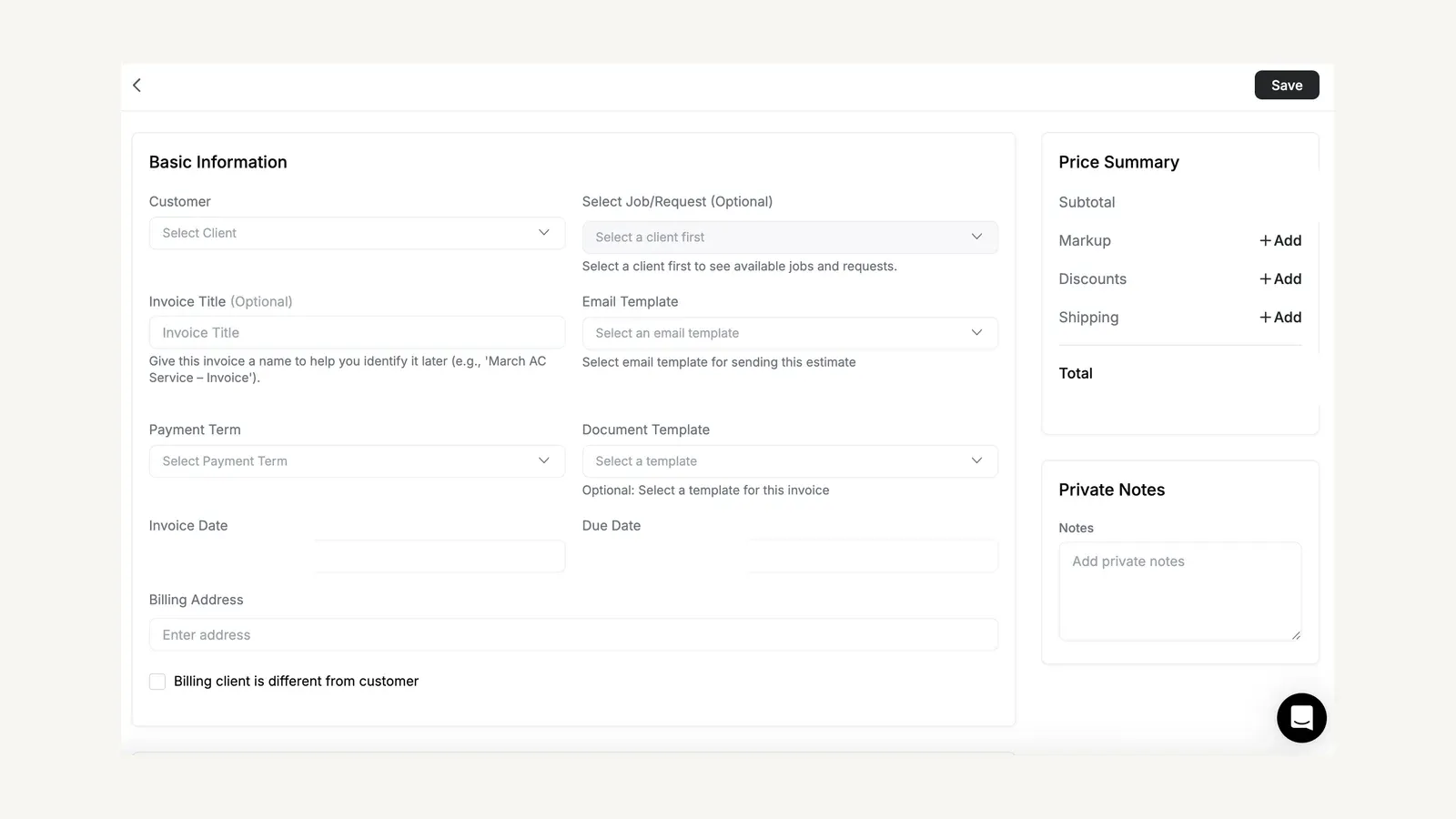
FieldCamp’s invoice form brings customer and job context together with payment and document-template controls. Source: FieldCamp official documentation.
Best fit: HVAC companies that need to configure records and billing documents around their own operating model instead of accepting one fixed template.
Important limitation: the published documentation is first-party evidence, not independent implementation testing. Custom objects are listed on Growth rather than Pro, and buyers should verify sync direction, tax mapping, credit notes, refunds, multi-entity accounting, offline field behavior, and exception recovery in a trial.
4. ServiceTitan — best for larger residential and mixed HVAC accounting operations
ServiceTitan accounting connects field transactions, invoice aging, payment status, deposits, overpayments, refunds, audit logs, and exports to accounting systems. Its current pricing page includes invoicing and pricebook features in every named package, while mobile estimates, reporting, payroll, and other controls vary by package.
For commercial work, ServiceTitan also documents client-specific pricing rules at the customer, location, estimate, invoice, or project level. That matters when contract rates, labor classes, material markups, and business-unit rules differ from the standard pricebook.
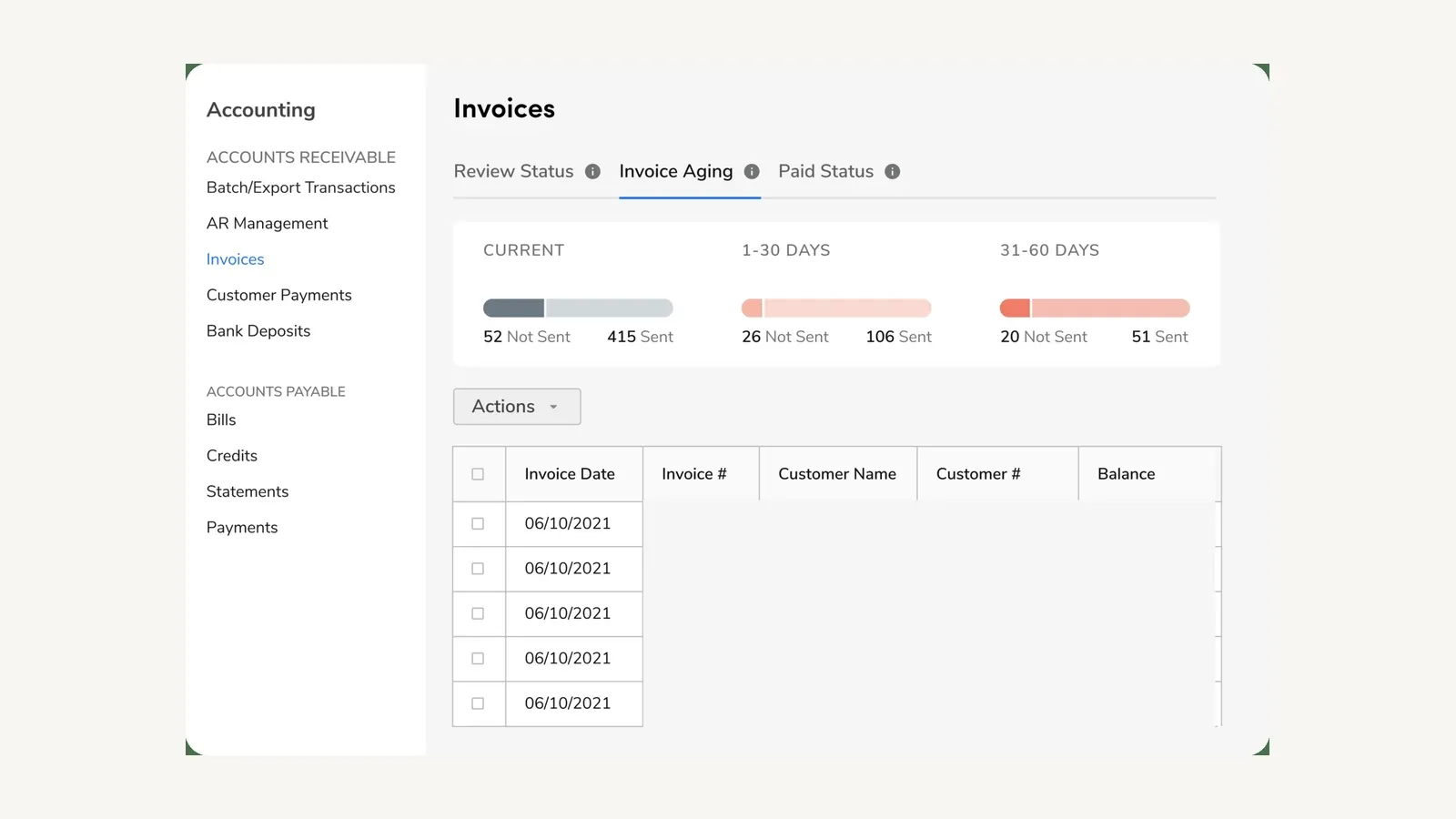
ServiceTitan’s accounting workspace separates invoice aging from review and paid status. Source: ServiceTitan official product page.
Best fit: established HVAC companies with dedicated dispatch, finance, pricebook, and reporting responsibilities.
Important limitation: ServiceTitan publishes per-technician pricing but no dollar amount. Buyers need a written proposal covering implementation, accounting configuration, payment processing, modules, support, data migration, and commercial versus residential scope.
5. FieldEdge — best for an HVAC company built around QuickBooks
FieldEdge pricing includes invoices, integrated payments, a pricebook, purchases, and QuickBooks Online and Desktop on all three plans. The vendor also documents invoices and payment collection from the field, with transactions flowing back to the office and accounting system.
This makes FieldEdge a focused shortlist choice for an established HVAC company that wants field operations wrapped tightly around QuickBooks. Select, Premier, and Elite differ in mobile-license counts, dispatch, quotes, agreements, reports, and inventory depth.
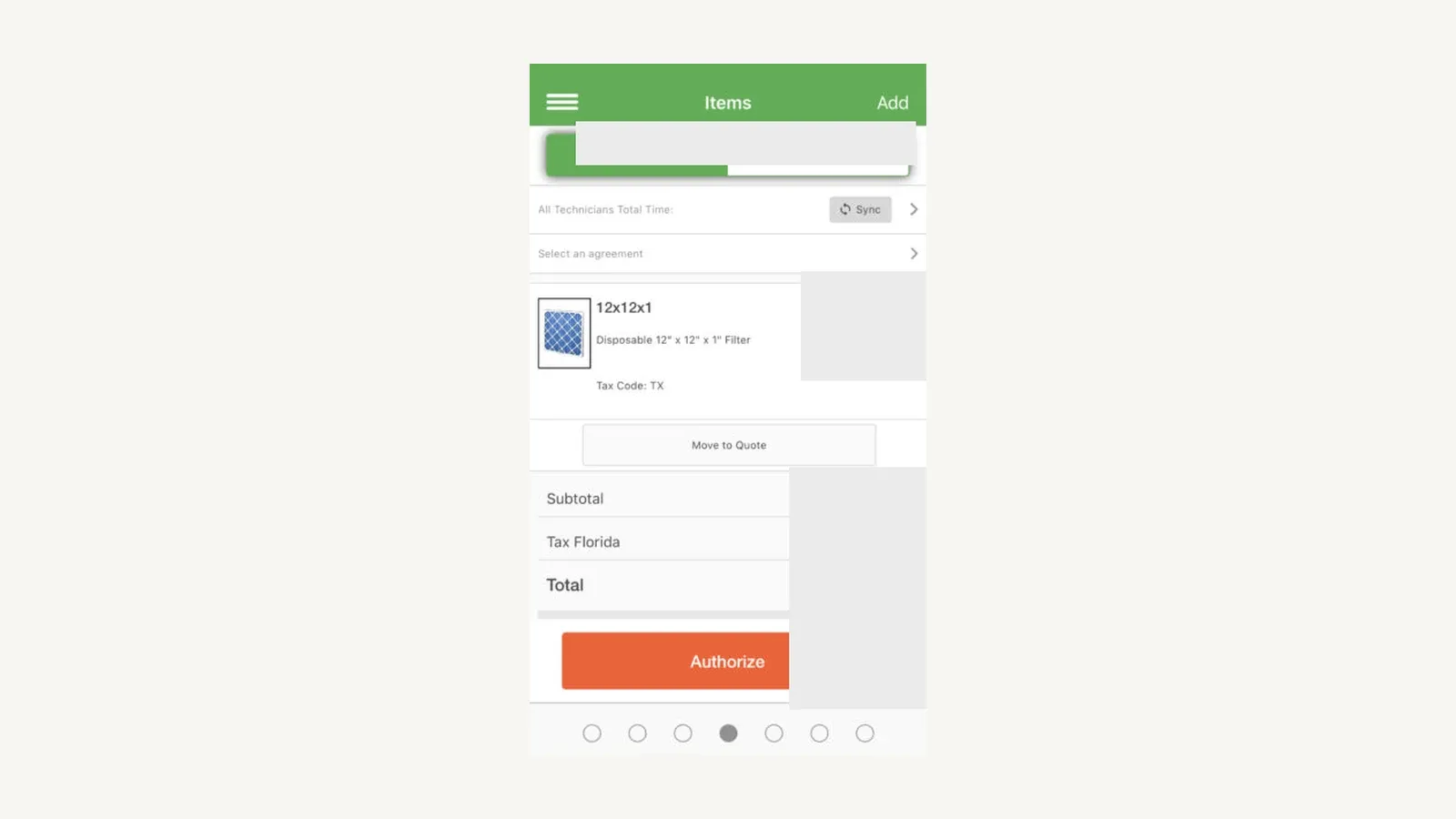
FieldEdge’s mobile workflow connects invoice items, tax handling, quoting, and authorization. Source: FieldEdge official product page.
Best fit: multi-truck HVAC operations that intend to keep QuickBooks as the accounting system of record.
Important limitation: pricing is quote-only and there is no self-serve free trial. Ask FieldEdge to demonstrate split payments, corrections, deposits, agreement renewals, inventory-to-invoice flow, and what happens when a QuickBooks sync fails.
6. BuildOps — best for commercial HVAC service and project billing
BuildOps invoicing supports time-and-materials, quoted, unit-price, and progress billing tied to time, materials, photos, procurement, job costing, and project financials. Its payments product documents card and ACH pay links, field or office collection, auto-applied payment records, and accounting connections.
That scope is materially different from a simple residential invoice app. Commercial mechanical contractors can evaluate service tickets, maintenance agreements, projects, purchase orders, schedule-of-values requirements, and accounting handoff in one system.
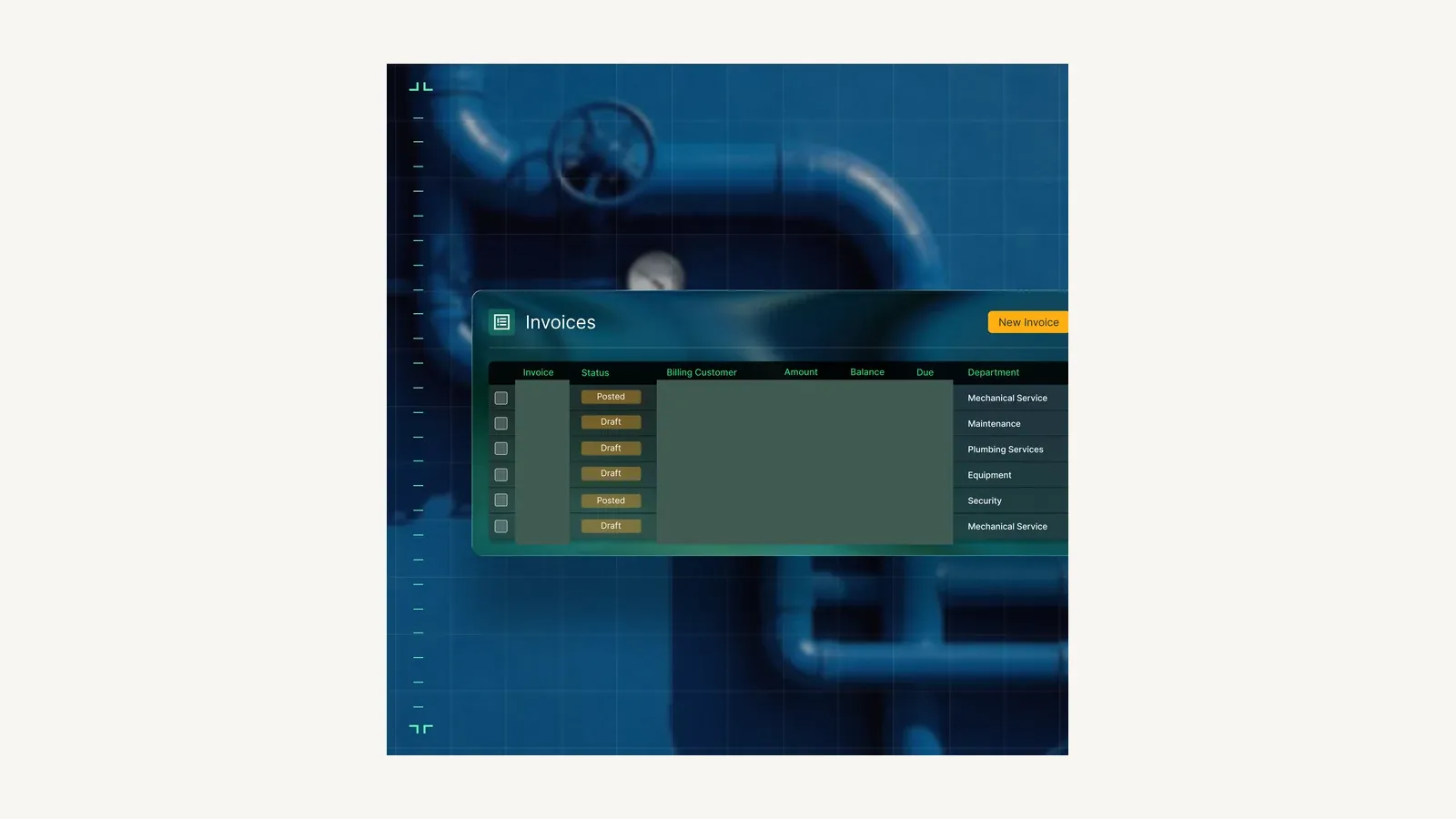
BuildOps presents invoice status and department context in a commercial operations view. Source: BuildOps official product page.
Best fit: commercial HVAC contractors combining service, planned maintenance, and project work.
Important limitation: pricing is customized by users, modules, trades, and integrations. Vendor outcome figures are not treated as expected buyer results, so require a sample-data demonstration of one real invoice from field closeout through accounting.
7. QuickBooks Online — best accounting system, not best HVAC operating system
QuickBooks Online supports custom invoices, payment links, reminders, recurring invoices, batch invoices, and progress invoices connected to estimates. It is the strongest accounting-first option in this list because the invoice and payment live directly in the books.
It does not natively replace HVAC call booking, dispatch, technician workflows, equipment service history, maintenance agreements, or structured job closeout. A contractor that chooses QuickBooks alone must decide where those operational records live and how approved billing data reaches accounting.
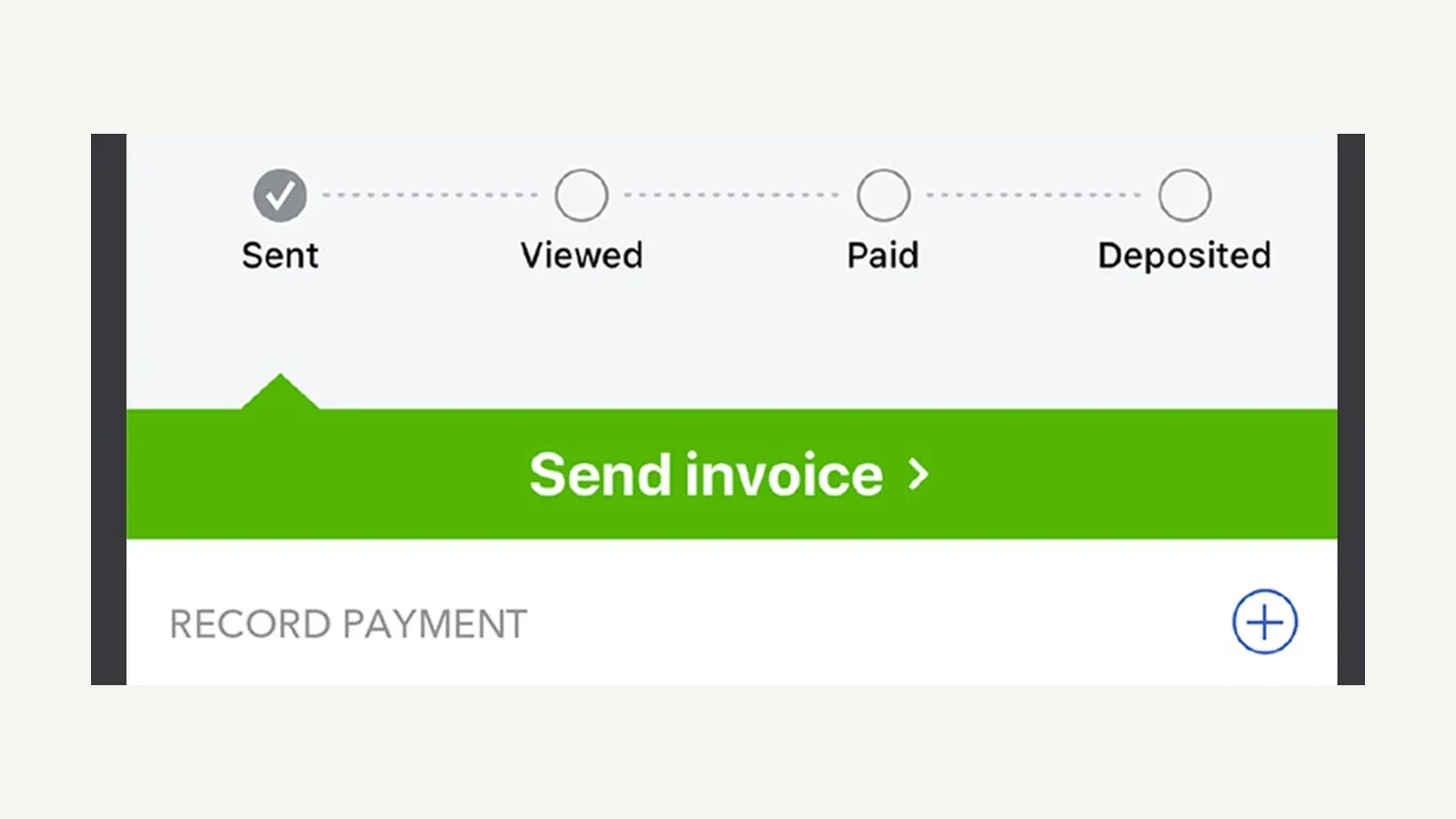
QuickBooks acts as the accounting boundary by tracking invoice delivery, payment, and deposit status. Source: Intuit official Apple App Store listing.
Best fit: solo operators and small companies whose primary problem is bookkeeping and basic invoicing.
Important limitation: published promotional prices are temporary, payment processing is separate, and advanced users or project features require higher plans. QuickBooks should be evaluated as the financial system of record, not ranked as if it were a complete HVAC field-service platform.
Best HVAC invoicing software by business type
- Solo operator: start with Jobber or QuickBooks Online, depending on whether scheduling and jobs or accounting is the larger gap.
- Small residential team: compare Jobber and Housecall Pro using one real service call, replacement estimate, deposit, invoice, and payment.
- Configurable workflow: evaluate FieldCamp when invoice fields, documents, objects, or accounting connections must match a nonstandard process.
- Established QuickBooks-centered HVAC company: compare FieldEdge with Housecall Pro and Jobber, focusing on sync rules and correction handling.
- Larger residential or mixed operation: evaluate ServiceTitan when finance, pricebook, dispatch, reporting, and controls justify the implementation.
- Commercial service and projects: compare BuildOps with the broader commercial HVAC platforms in our commercial HVAC software guide.
A practical invoice-software demo script
Do not let a vendor show only a polished invoice template. Give every finalist the same sample customer, site, equipment item, service agreement, technician visit, labor entry, material usage, tax rule, purchase-order reference, deposit, partial payment, and accounting destination.
Ask the vendor to complete these steps live:
- Convert an approved estimate into scheduled work without retyping the scope.
- Close the field visit with time, materials, notes, photos, and a signature.
- Show what is missing before the office approves billing.
- Apply the correct customer, location, agreement, or project price rule.
- Create a service invoice and a progress invoice.
- Collect a partial card or bank payment and issue a receipt.
- Sync the invoice and payment to accounting.
- Correct the invoice after sync without creating a duplicate.
- Void or refund the transaction while preserving the audit trail.
- Report open invoices, aging, unbilled work, and sync errors.
Frequently asked questions
What is HVAC invoicing software?
HVAC invoicing software turns completed service or project work into a customer bill and tracks what happens next. A field-service platform also connects the invoice to the customer, site, equipment, work order, technician activity, pricebook, payment, and accounting handoff.
Can HVAC technicians create invoices in the field?
Jobber, Housecall Pro, FieldCamp, ServiceTitan, FieldEdge, and BuildOps all document field or job-connected invoicing workflows. The buyer still needs to decide whether technicians may send invoices directly or whether the office must review them first.
What HVAC software integrates with QuickBooks?
Every field-service platform in this comparison documents a QuickBooks connection, but the editions, direction, triggers, and supported records differ. Jobber supports QuickBooks Online rather than Desktop, while Housecall Pro and FieldEdge document both Online and Desktop options.
Is QuickBooks enough for an HVAC business?
QuickBooks can be enough for accounting and basic invoicing in a very small business. It does not provide the complete HVAC operating workflow for dispatch, equipment history, field closeout, maintenance agreements, or commercial service delivery.
What is the best HVAC invoicing software for commercial work?
BuildOps is the strongest invoicing-specific fit here for commercial service and project billing. ServiceTitan, FieldCamp, FieldEdge, and the platforms in our commercial guide may fit better depending on the required data model, accounting stack, agreements, projects, and implementation budget.
What is the best billing software for HVAC services?
For most residential HVAC shops the billing software is the field service platform itself — Housecall Pro, Jobber or FieldCamp — because the invoice needs the job, the parts and the technician’s notes attached to it.
Standalone billing tools reintroduce the second data-entry step that field billing exists to remove.
What is the best accounting software for HVAC companies?
QuickBooks Online is the default for HVAC accounting, and every platform compared here syncs to it.
Keep the distinction clear: accounting software closes the books, while invoicing software raises the invoice in the field.
Final verdict
Choose the billing system that preserves the evidence behind the invoice and survives corrections after it reaches accounting. For most small residential HVAC companies, Jobber and Housecall Pro are the practical first comparison; for configurable workflows, FieldCamp is the strongest candidate; for established operations, ServiceTitan or FieldEdge may fit; and for commercial service plus projects, BuildOps deserves the first demo.
The safest decision is not the product with the longest feature list. It is the product that can complete your real estimate-to-work-to-invoice-to-payment-to-accounting cycle without retyping data, hiding exceptions, or forcing the office to repair every job after the technician closes it.
Sources
- Jobber invoicing, QuickBooks sync, and pricing
- Housecall Pro invoicing, QuickBooks Online sync, and pricing
- FieldCamp invoices, payments, accounting connections, and pricing
- ServiceTitan accounting, client-specific pricing, and pricing
- FieldEdge HVAC software and pricing
- BuildOps invoicing, payments, and pricing
- QuickBooks Online invoicing, progress invoicing, and pricing
Sponsored
Ready to upgrade your dispatch?
FieldCamp uses AI to optimize routes, auto-assign jobs, and eliminate scheduling chaos — so you can run more jobs with fewer headaches.

Written by
Azaz Vepari
Editor, Modern Field Service
Tool profiles
Pricing, best fit and limitations for each tool in this review, one page each.